

Last Thursday at 11 PM, I got a message from a founder friend: "I just automated my entire client onboarding process. What used to take 3 hours now takes 3 minutes. Why didn't I do this sooner?"
Three weeks earlier, this same founder was drowning. Managing 50+ client projects, manually updating spreadsheets, sending progress reports, creating invoices, and working 70-hour weeks just to keep up.
Today? He works 40 hours, has doubled his client base, and actually takes weekends off.
The secret? AI workflow automation tools that handle the repetitive work while he focuses on strategy and growth.
Here's what's happening right now: 73% of businesses using workflow automation report saving at least 10-50% of their time.
This guide covers the 10 best AI workflow automation tools that actually deliver results, plus honorable mentions worth considering. Real pricing, honest limitations, actual workflow examples you can copy, and a clear framework for picking the right one.
No affiliate links. No sponsored placements. Just tested insights from implementing these tools across dozens of businesses. If you are here just for the looks here is the TLDR for you.
Quick answer
The best AI workflow automation tools for startups in 2026 balance low cost, easy integration and room to scale — spanning no-code builders, agentic platforms and orchestration layers. The right pick depends on your existing stack, your team's technical depth, and the specific workflows you automate first.
The 10 Best AI Workflow Automation Tools: TL;DR
We'll cover these tools in detail. But we created this list to help you skip to the ones that match your needs.
↓ Scroll down for detailed reviews of each tool
Why Your Business Needs AI Workflow Automation Tools Right Now
Let me paint you a familiar picture. It's Monday morning. You've got 47 unread emails, 3 reports due, 5 client check-ins scheduled, invoices to send, data to update in 4 different systems, and somehow you need to find time for actual strategic work.
Sound exhausting? It is. And it's completely unnecessary in 2025. Here's what most people don't understand about AI workflow automation tools they're not about replacing humans. They're about amplifying human capability. When machines handle the repetitive tasks, humans can focus on creativity, strategy, and relationship building.
Consider the tasks eating your day:
- Copying data between systems
- Sending follow-up emails
- Creating weekly reports
- Updating project statuses
- Processing form submissions
- Generating invoices
What all happened automatically, accurately, and in less time?
McKinsey research shows that 60% of work activities could be automated with current technology. For small and medium businesses, this represents the biggest competitive advantage available the ability to operate like a company 10x your size.
What Makes AI Workflow Automation Different
Traditional automation follows rigid rules. "If this, then that." It breaks when anything unexpected happens.
AI workflow automation is different. It can
- Understand context and make decisions.
- Process natural language from emails and documents
- Learn from patterns to improve over time.
- Handle exceptions without breaking.
- Generate content and responses.
- Predict outcomes and optimize accordingly.
Traditional Automation: Customer email-> Auto-reply with template-> Create ticket
AI Workflow Automation: Customer email-> AI analyzes sentiment and intent-> Categorizes issues-> Prioritizes based on customer value-> Routes to right department-> Drafts personalized response-> Creates ticket with full context-> Predicts resolution time-> Schedules follow-up.
The AI version handles complexity that would require 10+ manual steps and multiple decision points.
How to Choose the Right AI Workflow Automation Platform
Before diving into specific tools, let's establish your selection framework
1. Assess Your Technical Comfort Level
- No-Code Friendly: Can your marketing manager build workflows?
- Low-Code Flexible: Can you add custom code when needed?
- Developer-First: Do you have technical resources available?
2. Map Your Integration Needs
List your current tools. Check specific integrations, not just counts. A platform with 1,000 integrations is useless if it doesn't connect your specific stack.
3. Understand Pricing Models
- Per Operation: Expensive at high volume.
- Per Workflow: Better for focused automation.
- Per User: Problematic as the team grows.
- Flat Rate: Best for high-volume needs.
The 10 Best AI Workflow Automation Tools for 2025
1. Gumloop - Best AI-First Automation Platform
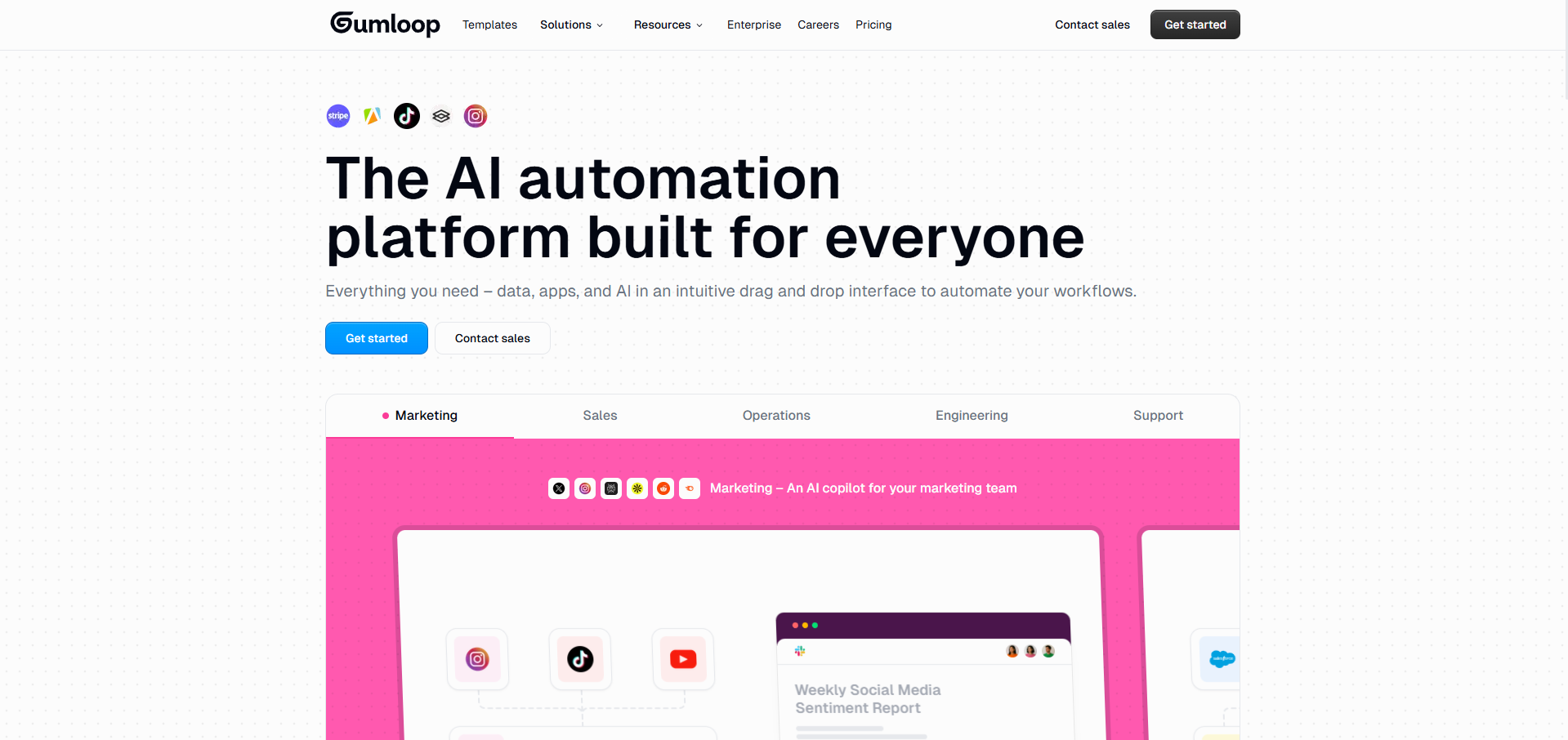
Gumloop represents the new generation of AI automation tools built with artificial intelligence at the core, not as an afterthought.
While traditional automation platforms started with simple if-then logic and added AI later, Gumloop was designed from day one to leverage the full power of large language models and machine learning.
What sets Gumloop apart in the crowded workflow automation space is its ability to chain multiple AI models together seamlessly.
You're not just connecting apps with basic triggers and actions, you're building intelligent workflows that can understand context, analyze sentiment, generate content, make decisions, and learn from outcomes.
It's like having a team of AI specialists working 24/7 on your business processes.
Key Features:
- Drag-and-drop AI workflow builder with visual debugging
- Multiple AI model integration (GPT-4, Claude, Gemini, etc.)
- Real-time workflow monitoring and performance metrics
- Pre-built AI automation templates for common use cases
- API access for custom integrations
Automation Example: Content Research to Publication Pipeline
Google Alerts->Gumloop->GPT-4->Claude->SEO Analysis->WordPress->Social Media
- Google Alerts finds trending topics in your industry.
- Gumloop triggers the automated workflow instantly.
- GPT-4 researches a topic and creates a detailed outline.
- Claude writes a full article in your brand voice.
- Another AI module optimizes for SEO keywords.
- Automatically publishes to WordPress with formatting.
- Creates platform-specific social media posts.
- Schedules are distributed throughout the week.
- Monitors engagement and adjusts future content.
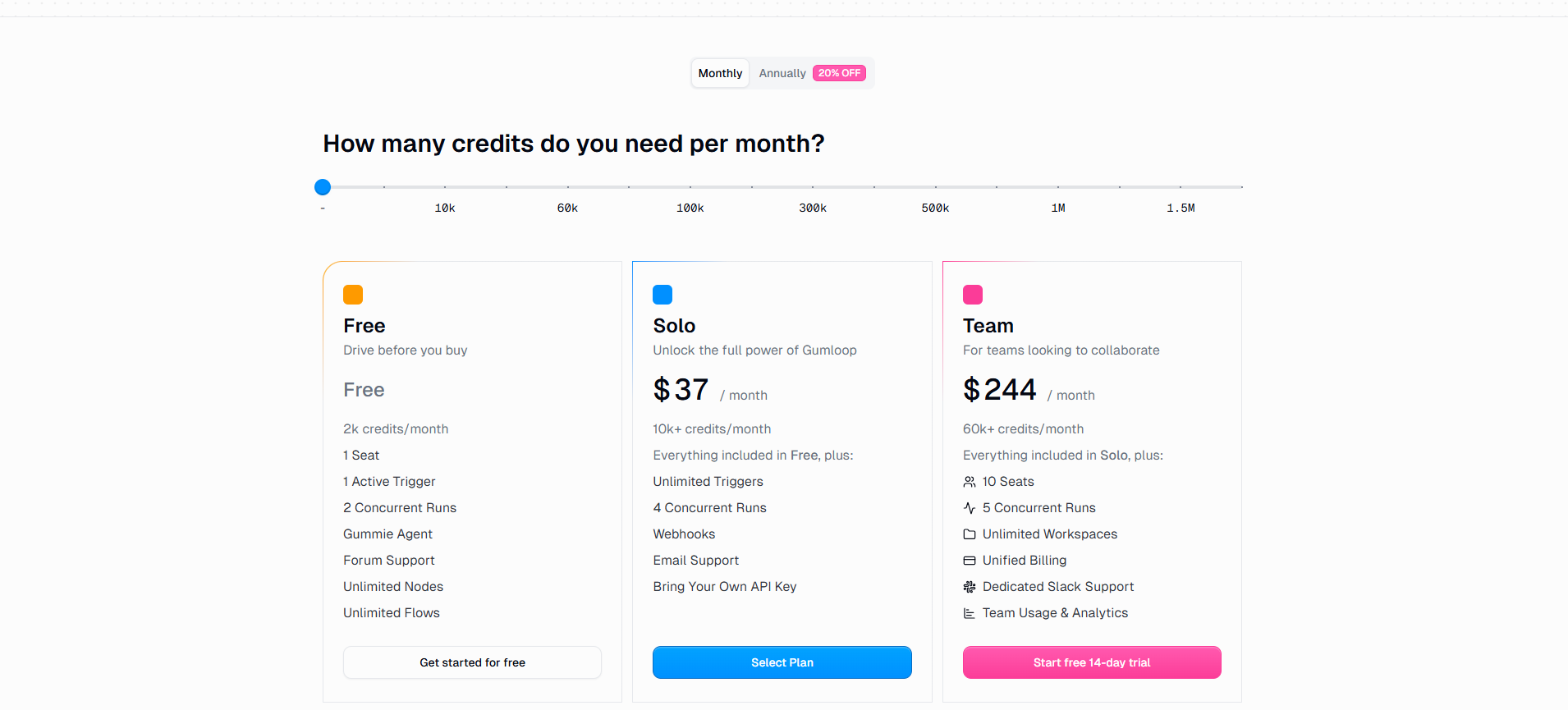
Pricing:
Perfect For:
Businesses want cutting-edge AI automation, especially for content creation, data analysis, and complex decision workflows.
Ideal for marketing agencies, content teams, and forward-thinking companies ready to leverage advanced AI capabilities.
2. n8n - Best Open Source Automation Platform
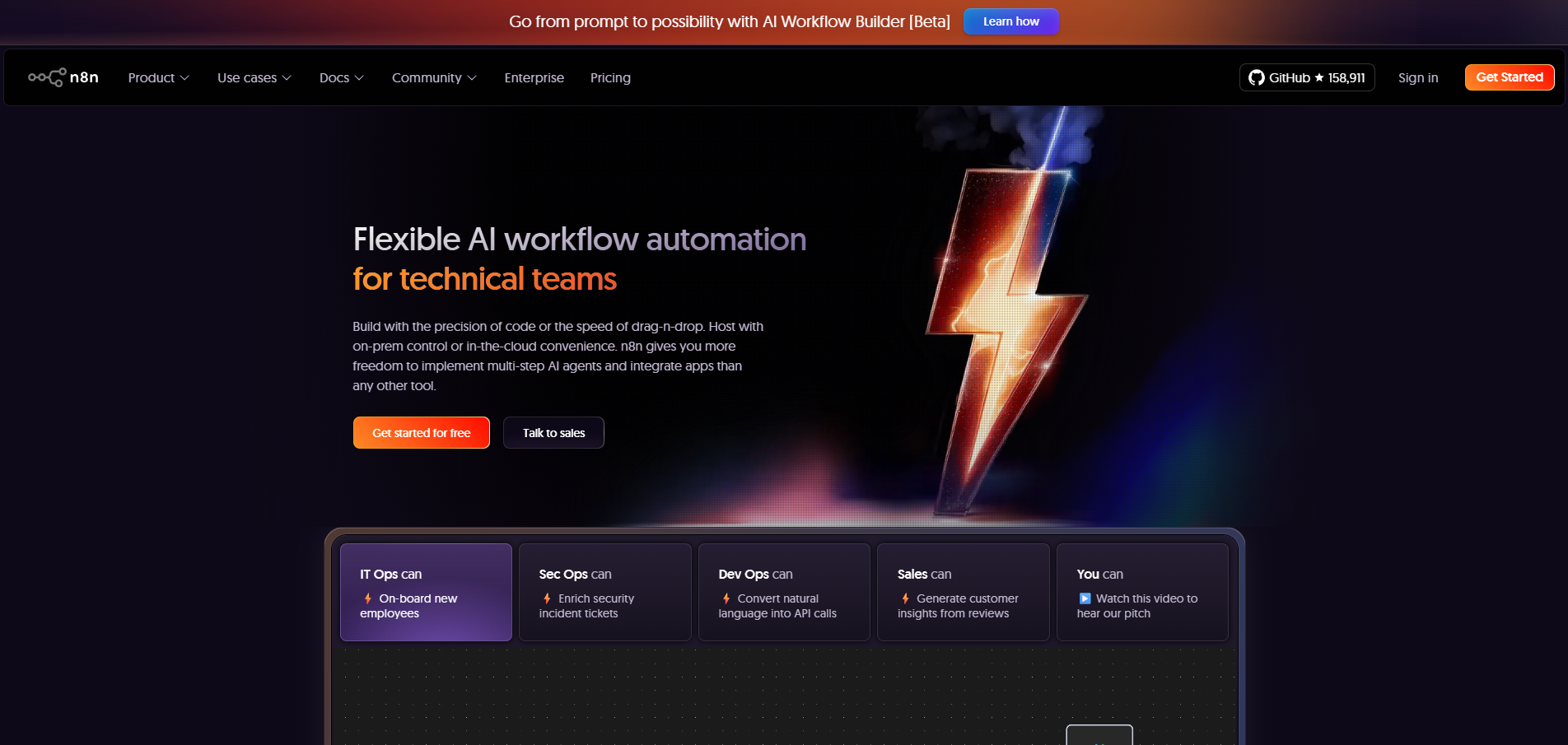
n8n (pronounced n-8-n, standing for "nodemation") is changing the workflow automation space by offering enterprise-grade capabilities through an open-source model.
Unlike proprietary automation platforms that lock you into their ecosystem, n8n gives you complete control over your automation infrastructure, data, and workflows.
The platform strikes a perfect balance between accessibility and power. While many open-source tools require deep technical expertise, n8n provides a visual workflow builder that non-developers can use effectively, while still offering the flexibility for developers to dive into code when needed.
This "fair-code" approach means you can self-host for complete data sovereignty or use their cloud service for convenience without sacrificing features.
Key Features:
- Self-hostable with complete data control
- 400+ native integration with popular services
- Visual workflow editor with node-based design
- Code when you need it, visual when you don't
- Workflow templates and community sharing
Automation Example: Customer Support AI Workflow
Webhook → n8n → PostgreSQL → OpenAI → Sentiment Analysis → CRM → Slack → Email
- Customer submits support ticket via webhook.
- n8n validates and stores in a PostgreSQL database.
- Queries similar past tickets for context.
- OpenAI analyzes the issue and suggests a solution.
- Sentiment analysis determines the urgency level.
- If confidence >90%, auto-responds with solution.
- If confidence <90%, routes to the human with full context.
- Updates CRM with interaction history.
- Notifies the team in Slack with a priority level.
- Logs all actions for analytics and improvement.
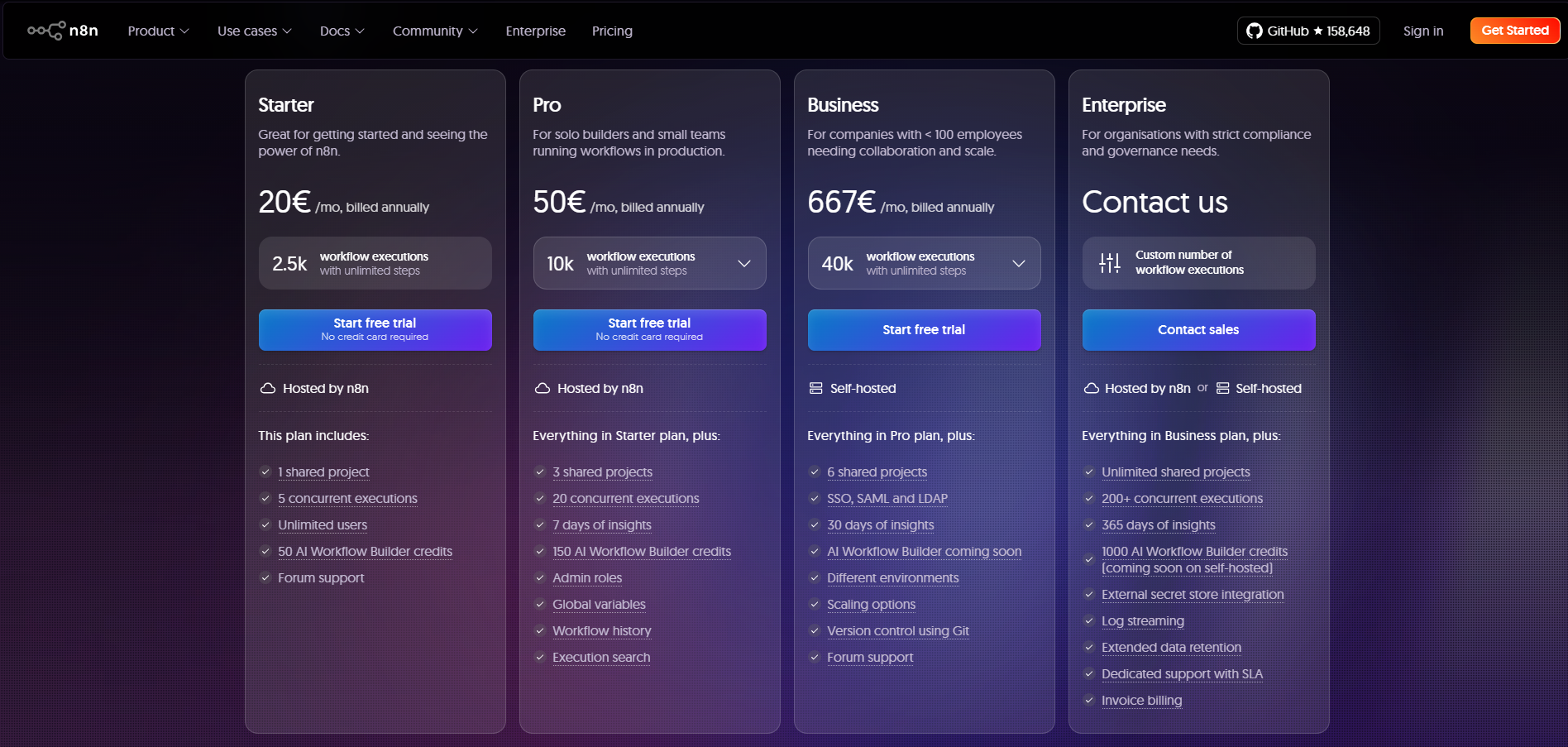
Pricing:
Perfect For
Technical teams wanting complete control over their automation platform, companies with strict security requirements, or anyone needing unlimited automation without per-operation costs. Ideal for businesses ready to invest in a setup for long-term savings.
3. Make (formerly Integromat) - Best Value for Power Users
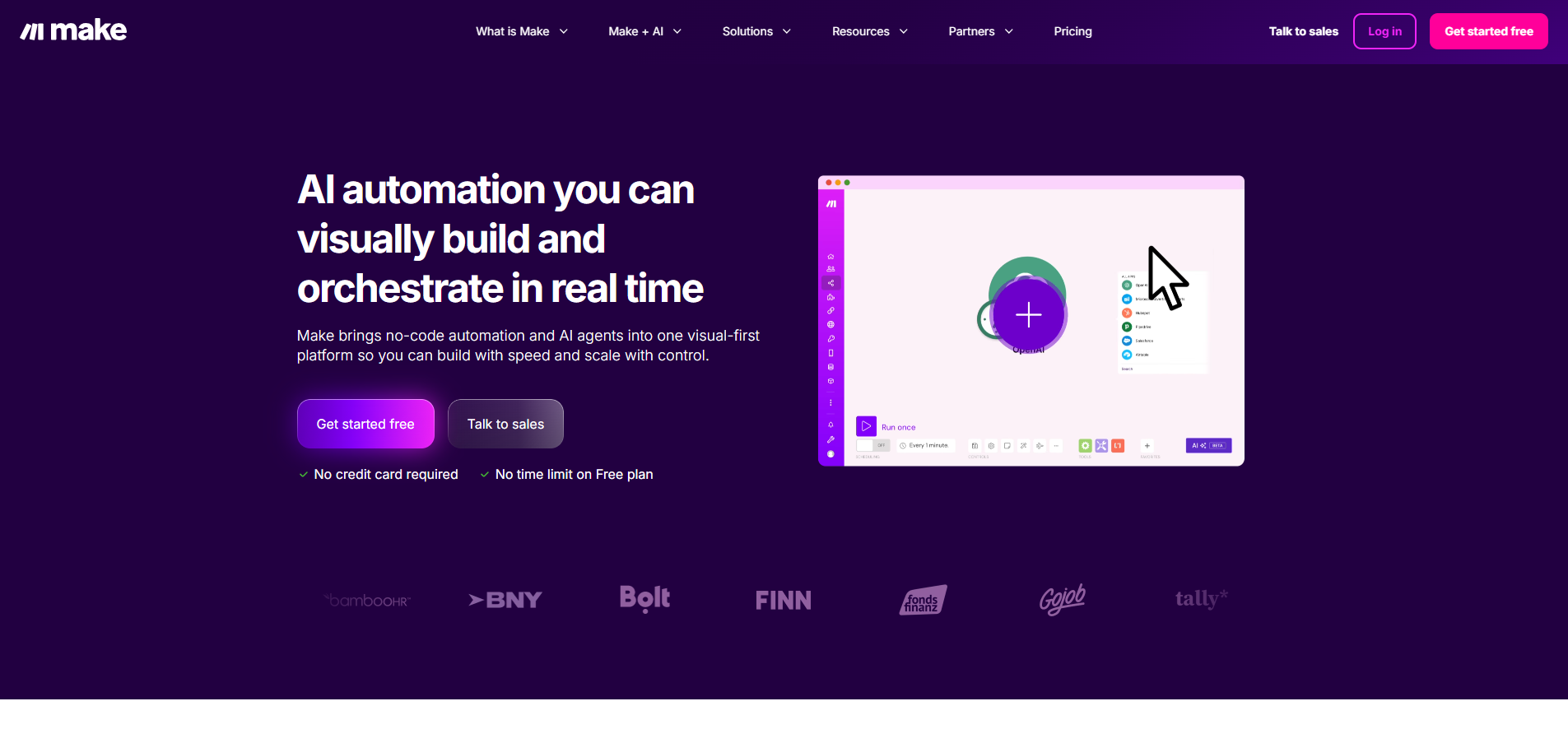
Make, formerly known as Integromat, has earned its reputation as the workflow automation platform that offers enterprise-level power at small business prices.
After rebranding in 2022, Make has accelerated its development, adding features that put it on par with tools costing 10x more while maintaining its signature visual approach to complex automation workflows.
The platform's standout feature is its visual scenario builder, which displays your entire workflow as an interactive flowchart.
This visual approach transforms complex multi-step automations from abstract concepts into understandable processes.
You can literally see data flowing through your workflow, watch transformations happen, and understand exactly how information moves between systems. This makes debugging and optimization intuitive rather than frustrating.
Key Features:
Visual flowchart interface showing complete workflow logic
- 1,500+ app integrations with deep API support
- Powerful data transformation tools and functions
- Router and iterator modules for complex logic
- Built-in data stores for persistent storage
- Scenario templates for quick starts
- Webhook support for instant triggers
Automation Example: Ecommerce Order Processing
Shopify → Make → Inventory Check → Google Sheets → OpenAI → Klaviyo → Slack → Accounting
- New order placed on Shopify (webhook trigger).
- Make validates order and checks inventory levels.
- Updates inventory tracking in Google Sheets.
- Routes high-value orders for priority processing.
- OpenAI personalizes a thank-you message based on the purchase.
- Sends branded email via Klaviyo.
- If order >$500, creates VIP customer tag.
- Notifies the fulfillment team in Slack with urgency level.
- Creates an invoice in the accounting system.
- Schedules follow-up sequence based on product type.
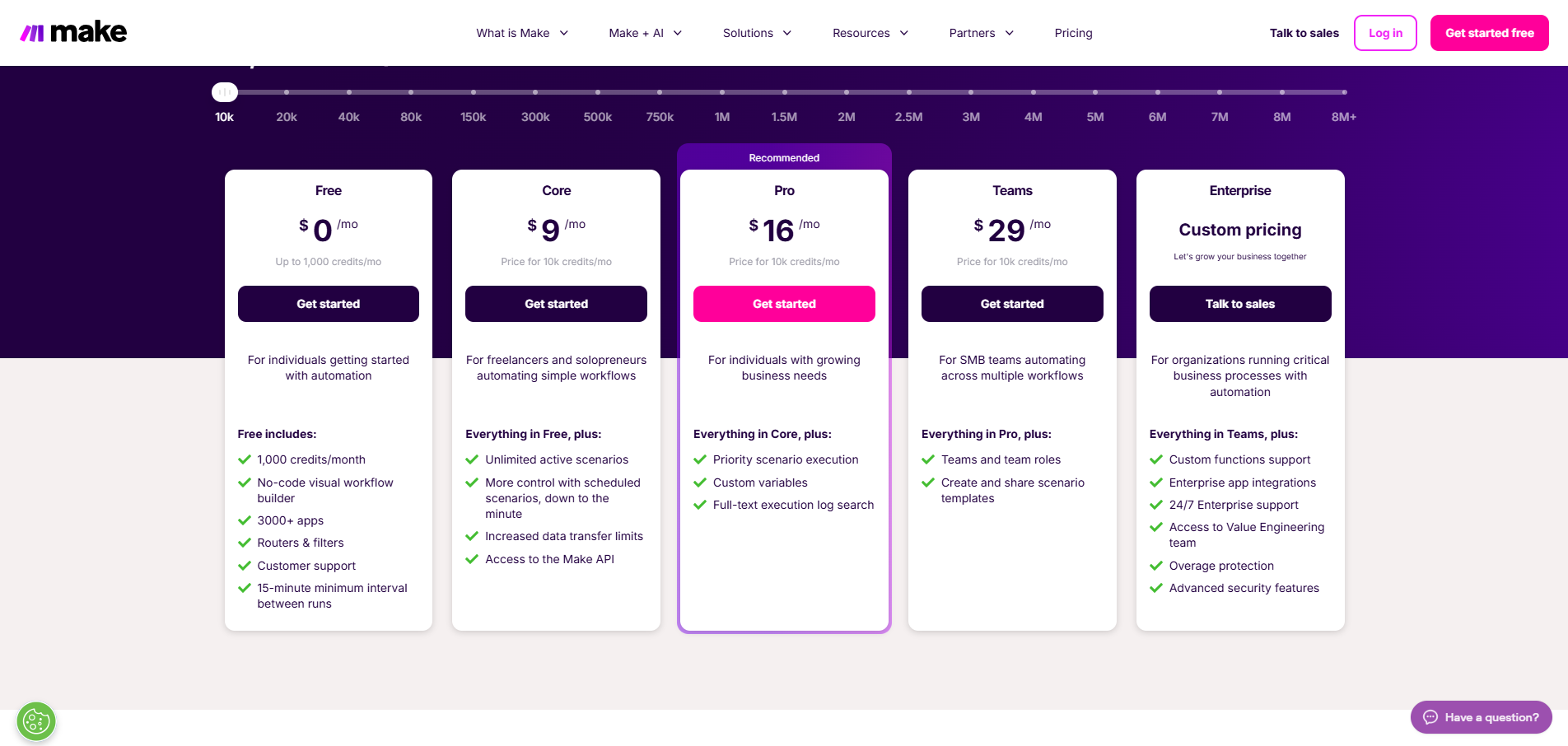
Pricing
Perfect For
Growing businesses need powerful workflow automation without enterprise costs. Excellent for operations teams, technical marketers, and anyone dealing with complex data workflows who values capability over simplicity.
Not Sure Which Workflow Automation Tool Fits Your Business?
We help you choose and implement the right AI automation tools. Get a free consultation.

4. Zapier - Best for Non-Technical Teams
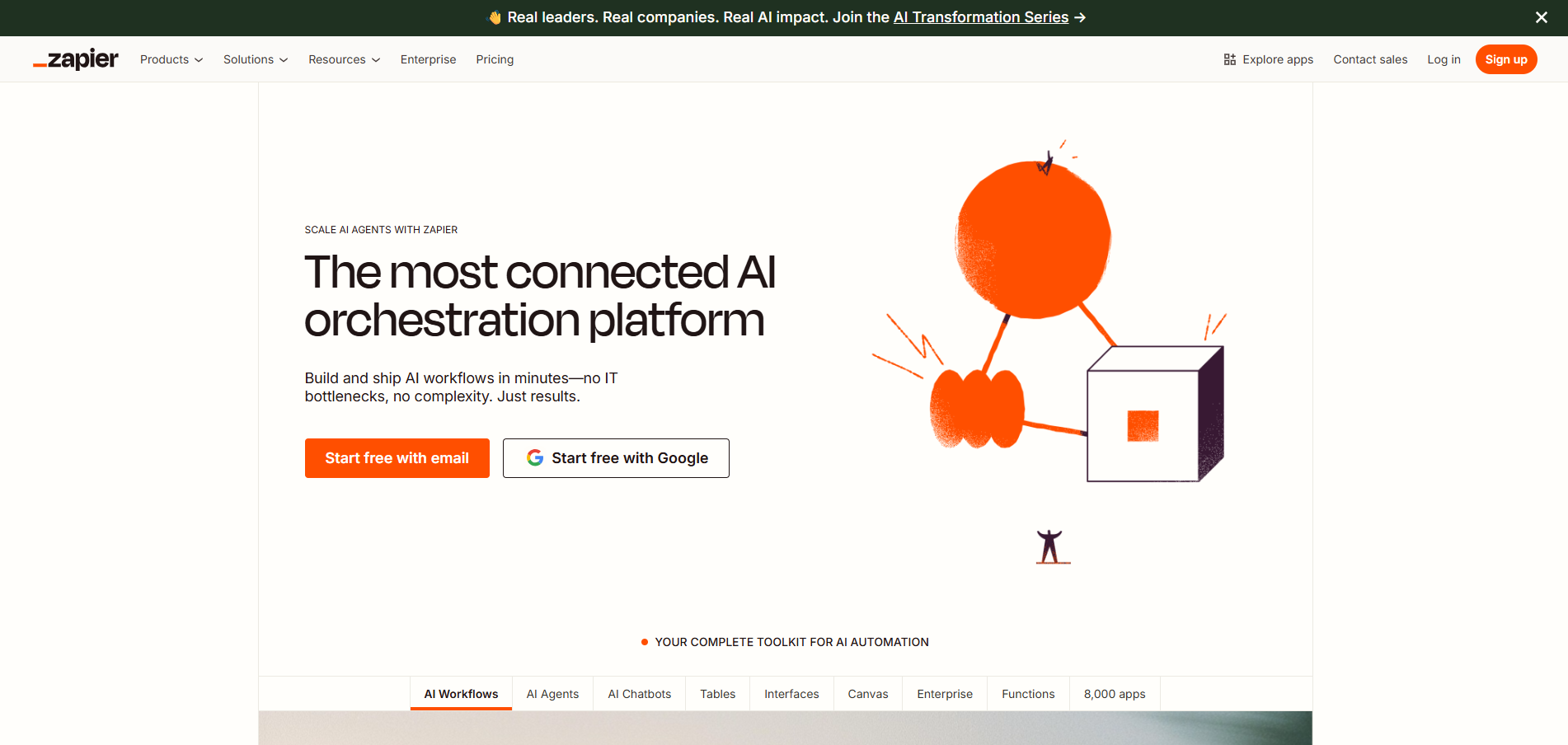
Zapier holds the crown as the tool that democratized workflow automation for the masses. Since its launch in 2012, Zapier has become synonymous with automation for non-technical users, building the largest integration ecosystem in the industry and making it possible for anyone to automate workflows without writing a single line of code.
The platform's genius lies in its simplicity. While other automation platforms try to impress with complex features, Zapier focuses relentlessly on making automation accessible.
Their trigger-action model (called "Zaps") is so intuitive that most users build their first automation within minutes of signing up.
This simplicity doesn't mean a lack of power. Zapier handles billions of tasks monthly for companies ranging from solo entrepreneurs to Fortune 500 enterprises.
Key Features:
- 5,000+ app integrations (largest in the market)
- No-code workflow builder with a simple interface
- Thousands of pre-built templates
- Zapier Tables (built-in database)
- Zapier Interfaces (build simple apps)
- Schedule triggers for time-based automation
Automation Example: Lead Management Workflow
Facebook Ads → Zapier → Lead Scoring → HubSpot → Slack → Google Sheets → Email Sequence
- New lead submits Facebook Ad form.
- Zapier instantly captures all data fields.
- Applies lead scoring based on responses.
- Creates or updates a contact in HubSpot CRM.
- Adds appropriate tags and segments.
- Notifies the sales team in Slack with the score.
- High-score leads trigger an immediate alert.
- Backs up all data to Google Sheets.
- Enrolls in appropriate email nurture sequence.
- Creates a follow-up task with a smart deadline.
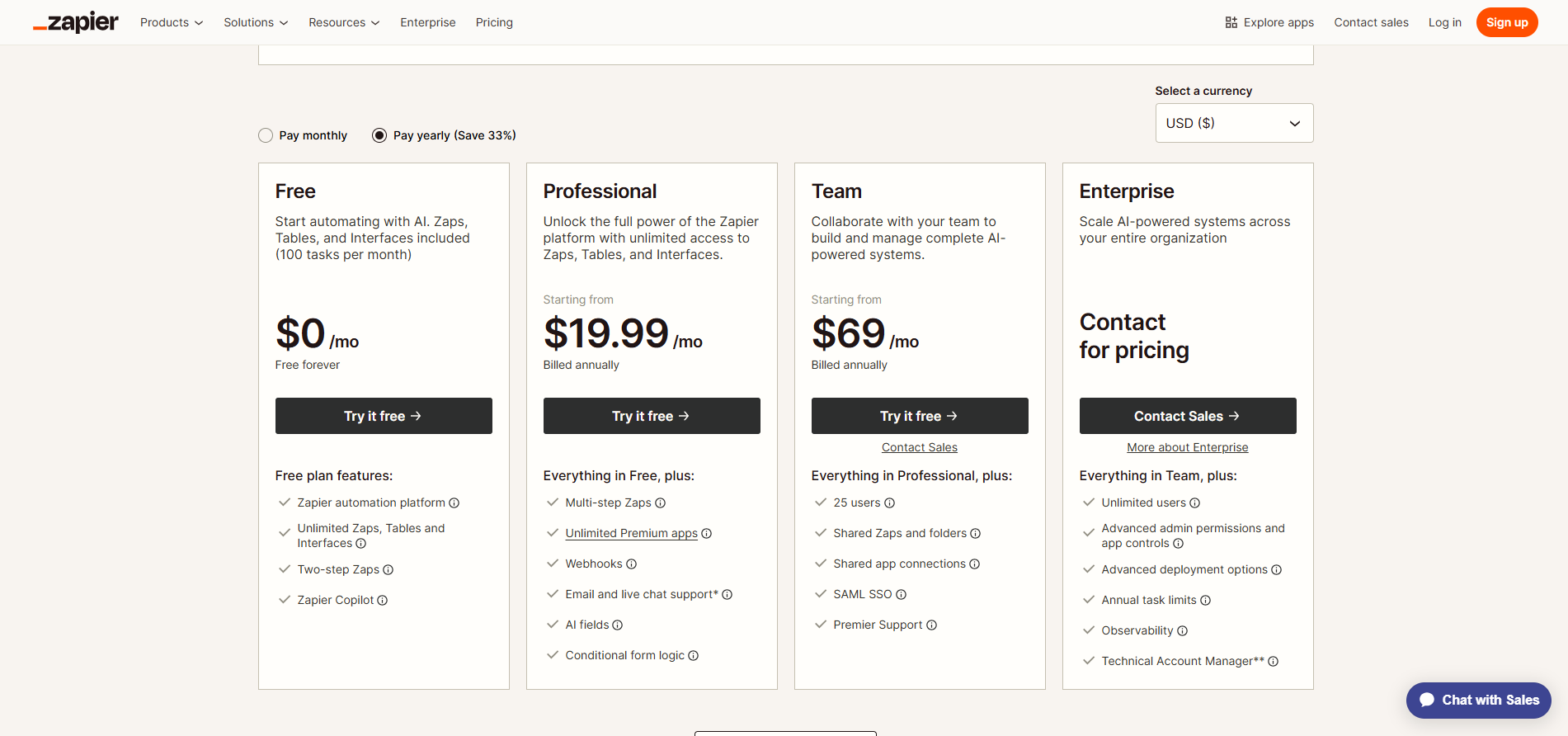
Pricing:
Perfect For:
Non-technical teams need simple, reliable workflow automation. Best as your first automation tool, perfect for marketing teams, and ideal when ease of use matters more than advanced features.
5. Microsoft Power Automate - Best for Microsoft Shops
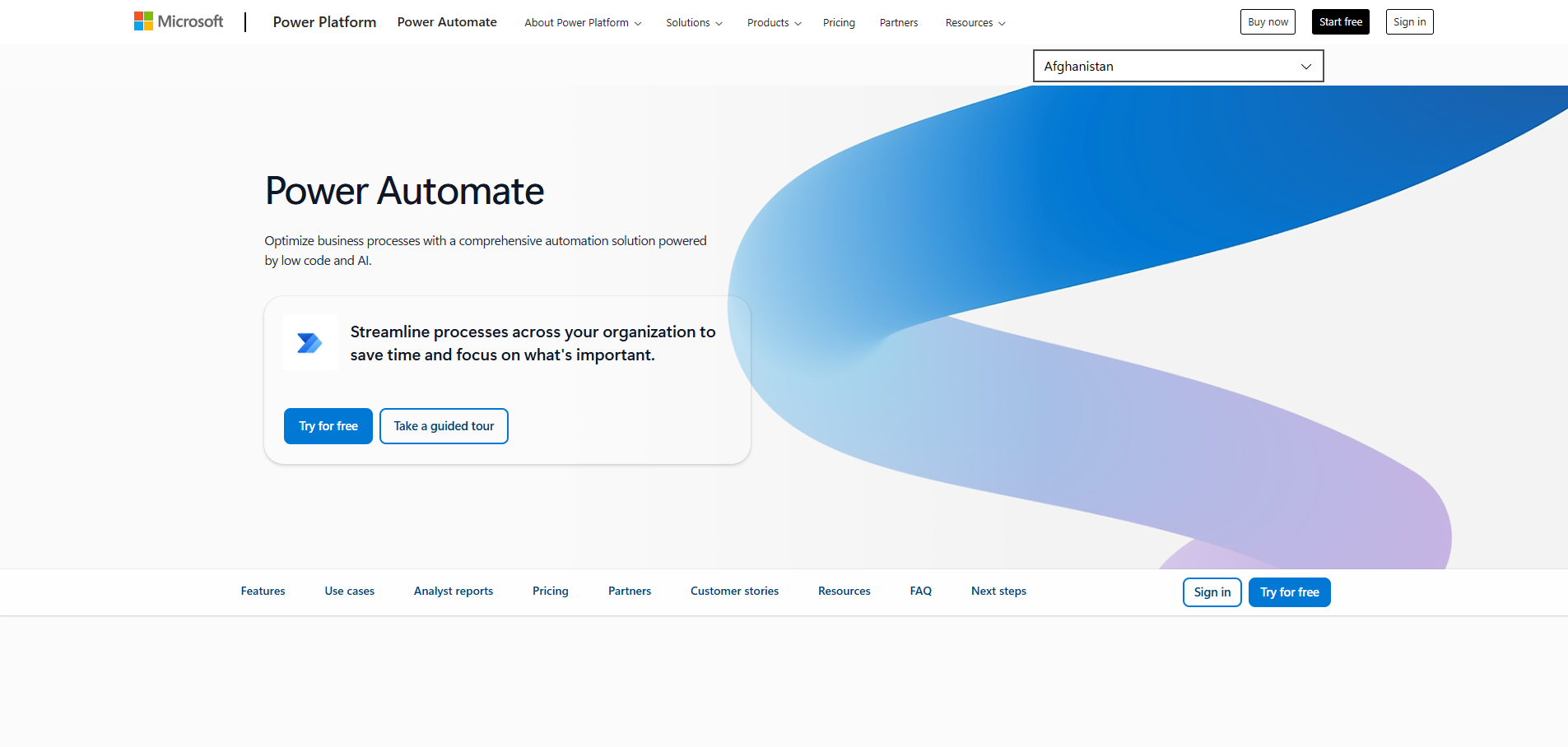
Microsoft Power Automate (formerly Microsoft Flow) is Microsoft's answer to workflow automation, and it's a powerhouse for organizations already invested in the Microsoft ecosystem.
Unlike standalone automation tools that treat Office 365 as just another integration, Power Automate is woven into the fabric of Microsoft's entire platform, providing capabilities that third-party tools simply cannot match.
The platform's deep integration with Microsoft 365 goes beyond simple connections. Power Automate understands the Microsoft Graph, giving it unprecedented access to organizational data, user permissions, and security contexts.
This means you can build automations that respect your existing Active Directory permissions, work with SharePoint metadata, trigger from Teams messages, and manipulate Excel files with full formula support, all while maintaining enterprise-grade security and compliance.
Key Features
- Native Microsoft 365 integration with full API access
- Desktop automation (RPA) for legacy systems
- AI Builder for custom machine learning models
- Mobile app for approval and monitoring
- Enterprise security with Azure AD integration
- Hundreds of connectors to third-party services
- Power Platform integration (Power Apps, Power BI)
Automation Example: Document Approval Workflow
OneDrive → Power Automate → AI Analysis → Teams → SharePoint → Outlook → Archive
- Employee uploads contract to OneDrive folder.
- Power Automate detects a new document instantly.
- AI Builder extracts key terms and validates format.
- Creates an approval request in Teams with a summary.
- Routes to the appropriate approver based on the amount.
- Sends email notifications with approval buttons.
- Tracks approval status with automatic reminders.
- Upon approval, apply a digital signature.
- Moves to SharePoint with proper metadata.
- Archives in a compliant document management system.
- Updates CRM with contract details.
- Creates follow-up tasks in Planner.
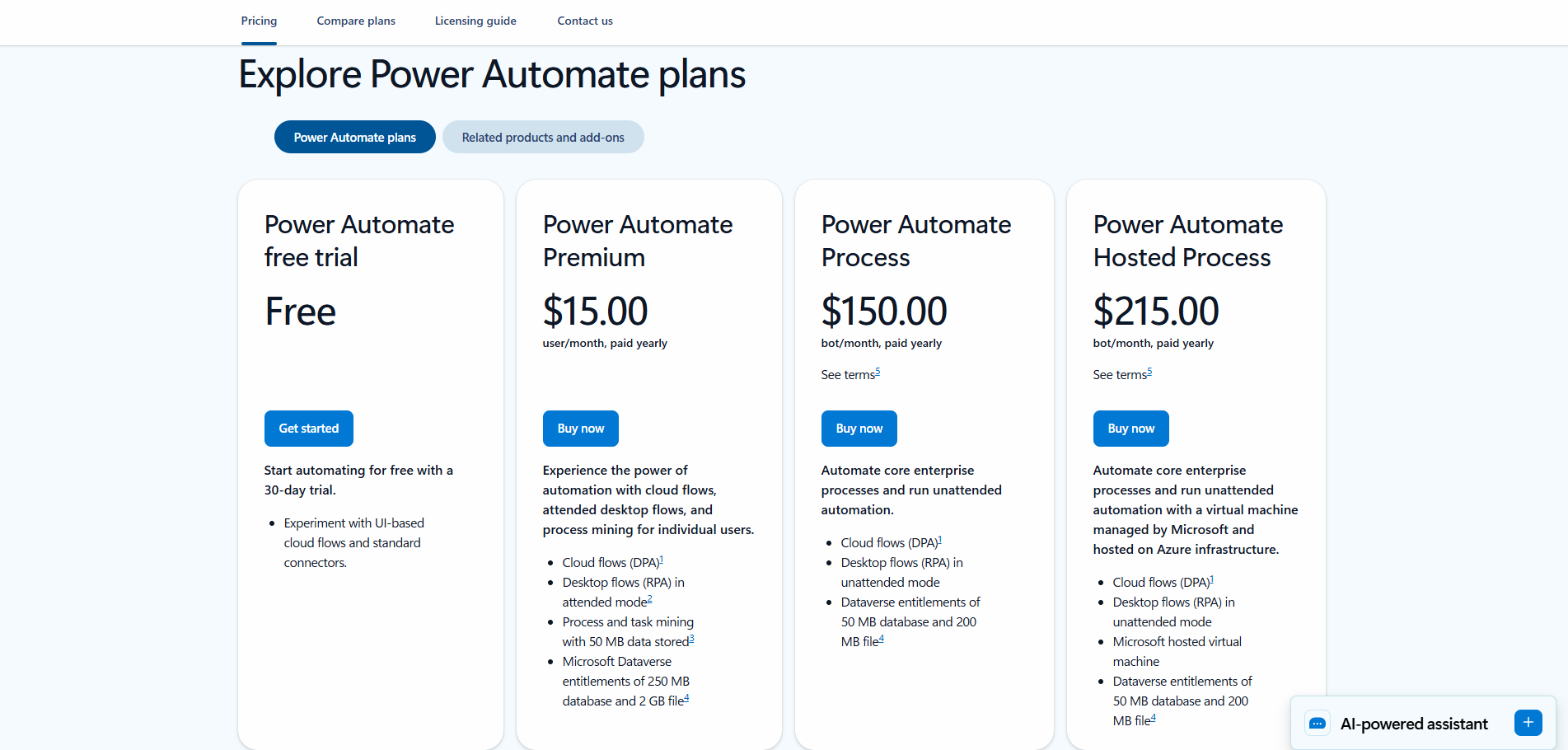
Pricing
Perfect For
Organization already running on Microsoft 365, needing deep Office integration, desktop automation capabilities, and enterprise security. Essential for regulated industries requiring compliance features.
6. Workato - Best for Enterprise Scale
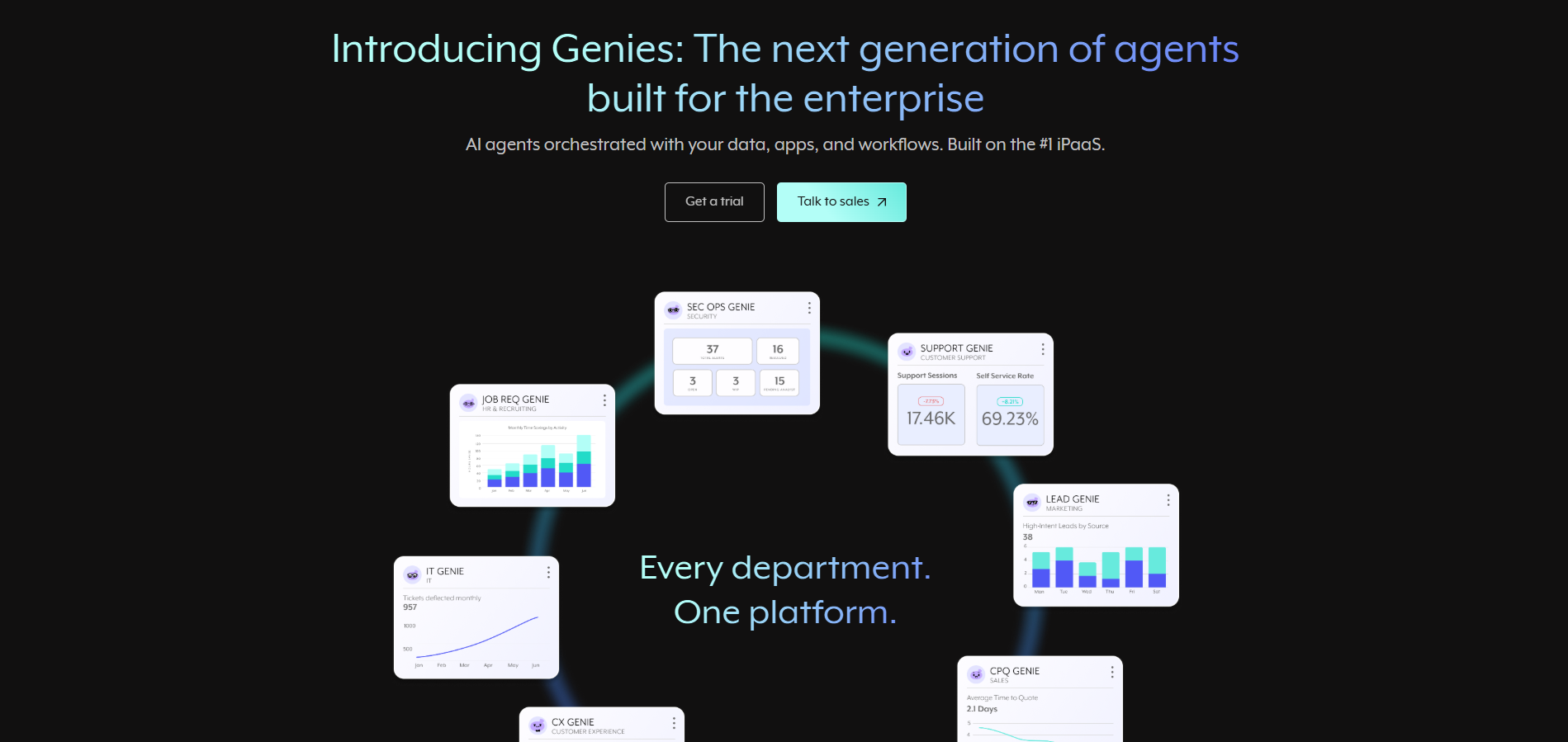
Workato positions itself as the leader in enterprise automation platforms, and for good reason. While many workflow automation tools struggle when workflows become complex or when dealing with enterprise-scale data volumes, Workato thrives in these demanding environments.
It's built from the ground up to handle the intricate requirements of large organizations with multiple systems, complex security needs, and stringent compliance requirements.
The platform's "recipe" approach to automation might sound simple, but it's incredibly sophisticated under the hood.
Each recipe can handle complex orchestrations across dozens of systems, process millions of records, and include advanced error handling, all while maintaining audit trails and compliance documentation.
Workato isn't just connecting apps, it's providing a complete integration platform as a service (iPaaS) that can replace traditional enterprise service buses.
Key Features
Enterprise-grade security with SOC 2 Type II compliance
- Recipe-based workflow automation with version control
- Workbot for Slack and Teams integration
- API management and custom connector SDK
- Multi-environment deployment (dev, test, prod)
- Role-based access control and approval workflows
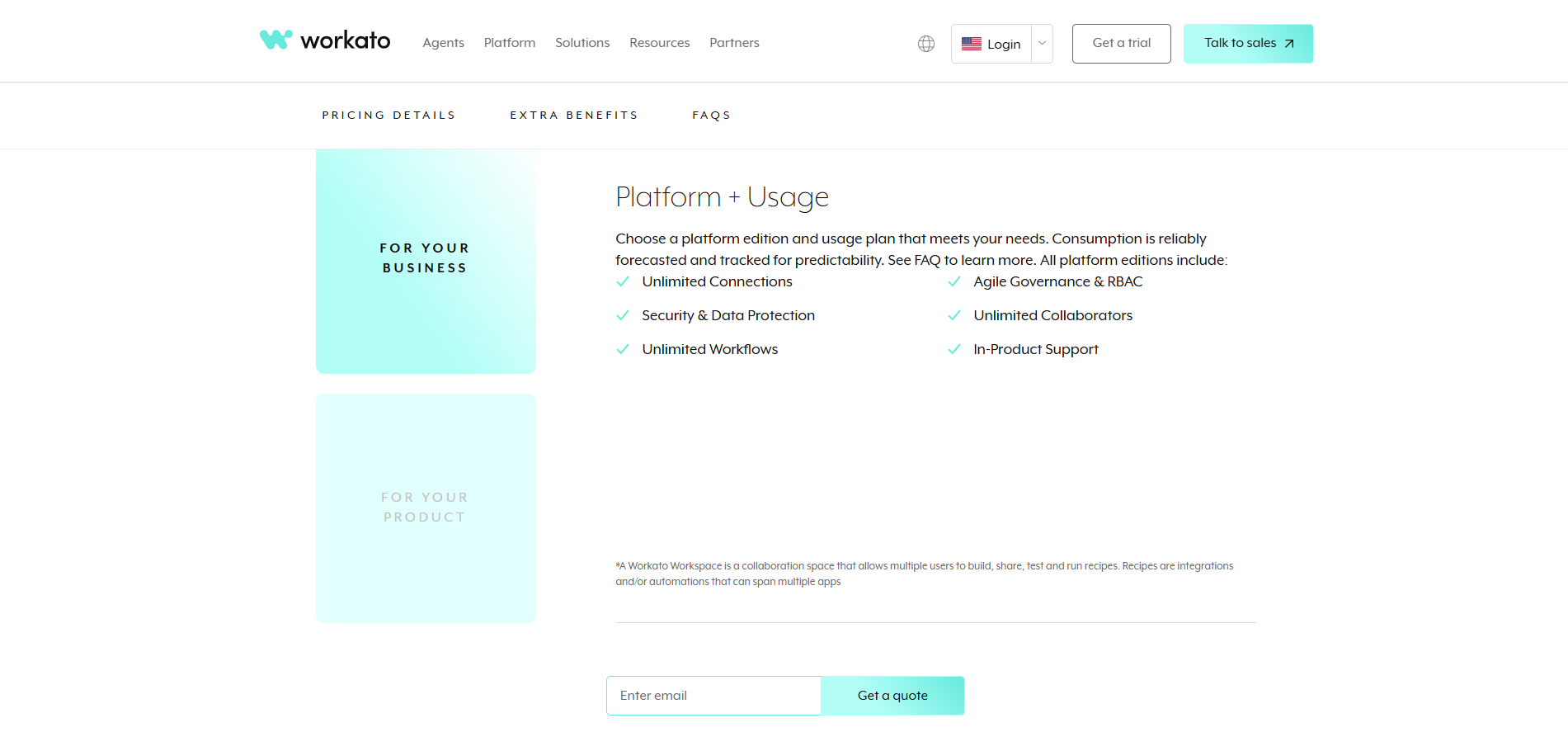
Pricing
Perfect For
Mid-market to enterprise companies with complex system landscapes, high-volume automation needs, and strict compliance requirements. Ideal for organizations ready to invest in a comprehensive automation infrastructure.
Ready to Implement AI Workflow Automation?
Our experts help you build automated workflows that actually save 20+ hours weekly. Schedule a free strategy session.
7. Pipedream - Best for Developer Teams
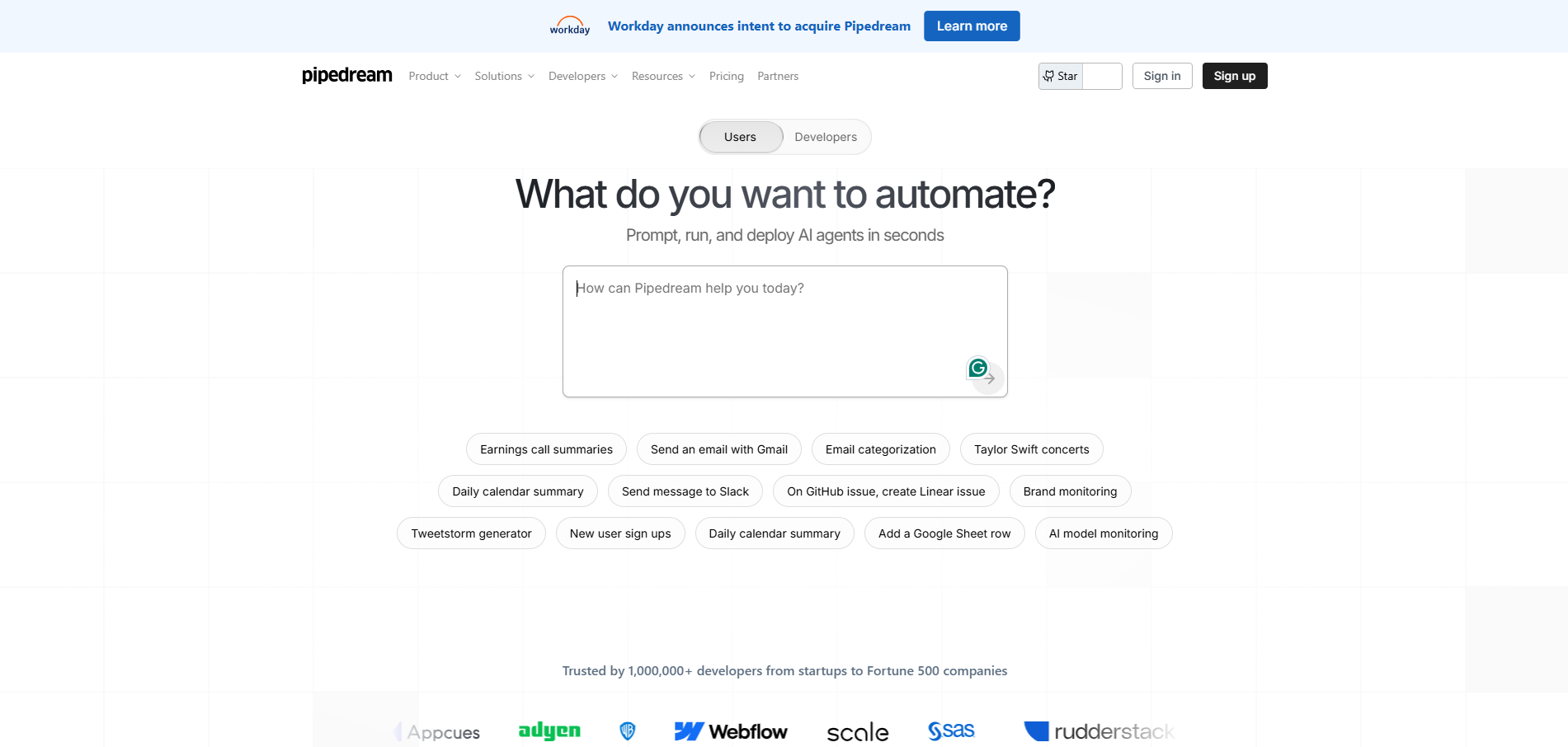
Pipedream represents a unique approach to workflow automation that speaks directly to developers' needs.
While most automation platforms hide code behind visual interfaces, Pipedream embraces it, offering the perfect blend of visual workflow building and full code access.
It's built on the principle that developers shouldn't have to choose between the speed of no-code and the flexibility of custom code.
The platform runs on a serverless architecture, which means you don't worry about infrastructure, scaling, or maintenance. Every workflow runs in isolated environments with automatic scaling, handling everything from one request per day to thousands per second.
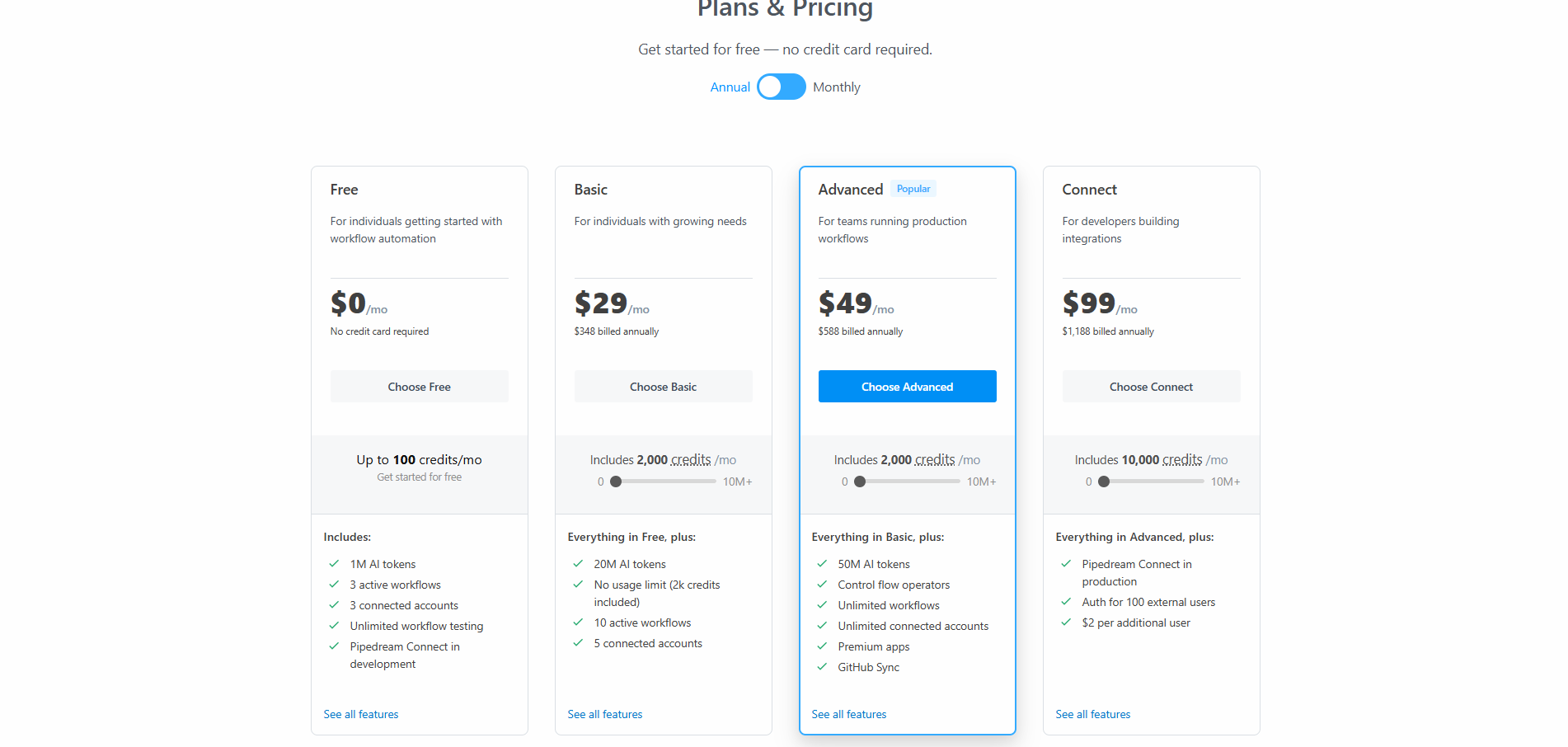
This serverless approach also means incredible cost efficiency, you only pay for what you use, and the free tier is generous enough for serious production use.
Key Features:
- Code in Node.js, Python, Go, or Bash
- 1,400+ pre-built API integrations
- Version control with Git integration
- Scheduled workflows and cron triggers
- npm and pip package support
- Real-time logs and debugging
Automation Example: Task Failed to Send in Slack
Snowflake tasks -> Chatgpt 4.0-> Slack
- Workflows trigger when a Snowflake task fails.
- Send the SQL and the error to GPT.
- Confirms it to correct the SQL
- Send information on the failed talks
- GPT responses to Slack
- The team can dig into more information
Pricing
Perfect For
Development teams want automation with full code flexibility. Ideal for API-heavy workflows, custom integrations, and scenarios requiring complex logic that visual tools can't handle.
8. Vellum AI - Best for LLM Workflows
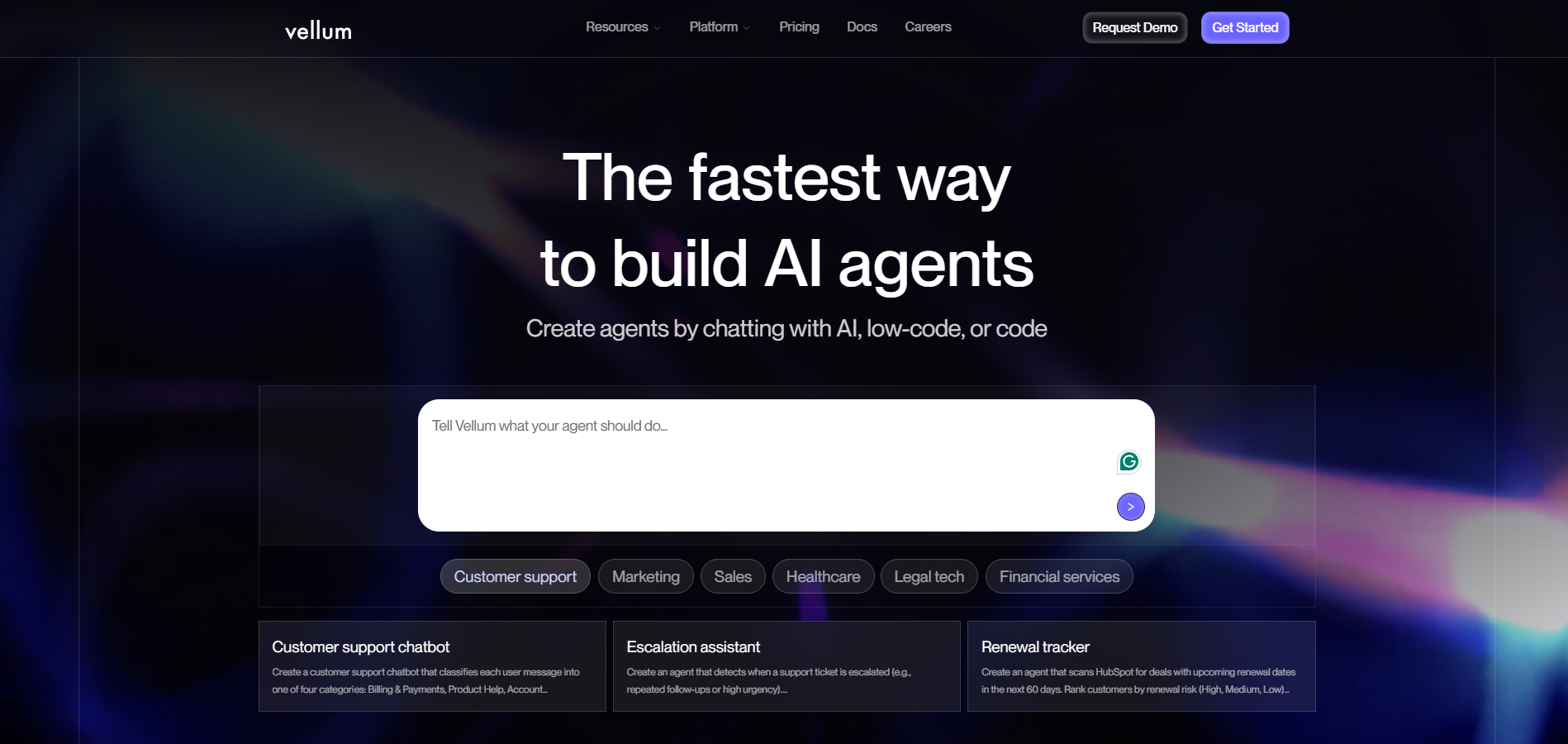
Vellum AI has carved out a unique niche in the AI automation landscape by focusing exclusively on productionizing Large Language Model (LLM) workflows.
While other platforms treat AI as an add-on feature, Vellum is purpose-built for teams that want to deploy, monitor, and optimize LLM-powered automations at scale.
It's the difference between using AI occasionally and building your entire workflow around AI capabilities.
The platform addresses a critical gap in the AI tooling ecosystem: the journey from prototype to production.
Many teams can build impressive AI demos using tools like ChatGPT or Claude, but turning these into reliable, scalable production systems is entirely different.
Vellum provides the infrastructure, monitoring, and optimization tools needed to run LLM workflows reliably in production environments where consistency, performance, and cost control are critical.
Key Features
- Multi-model LLM workflow builder with a visual interface
- Prompt engineering with version control
- A/B testing for prompt optimization
- Model comparison and automatic routing
- Cost tracking and optimization
- Evaluation frameworks for quality assurance
- Deployment pipelines with staging environments
- Custom evaluation metrics and scorecards
Automation Example: Patient Doctor Match
Entry point -> Merge Data-> GPT-5 Mini->GPT->Output
- Node takes patient information
- Redacts any personally identifiable information
- ChatGPT analyzes the sanitized patient information
- Prompt categorizes the match strength as either 'strong' or 'partial.'
- Other GPTs will format the final explanation into structured output
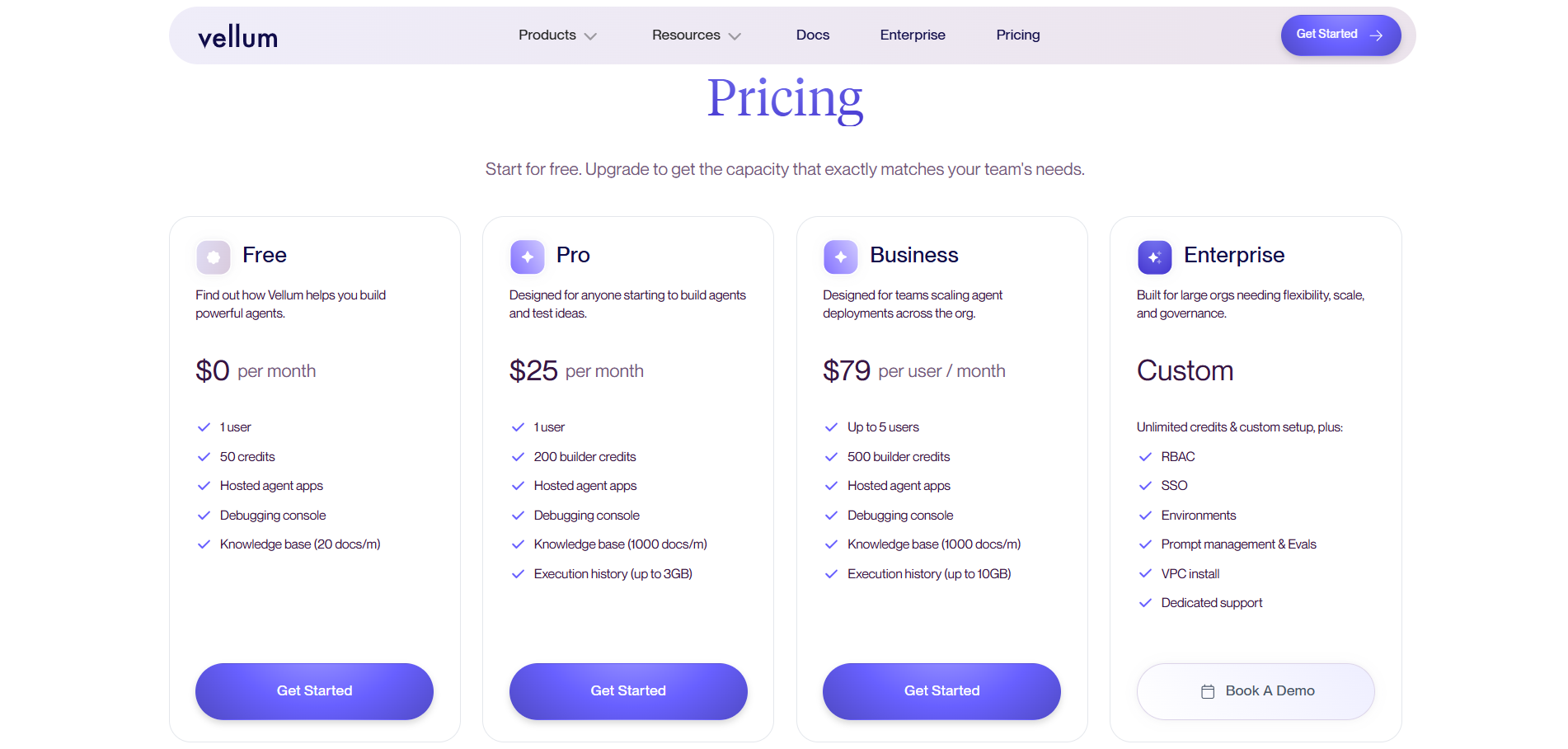
Pricing
Perfect For
Teams building production AI workflows with LLMs, especially those needing robust testing, monitoring, and optimization. Essential for companies where AI quality directly impacts user experience.
9. Stack AI - Best for No-Code AI Apps
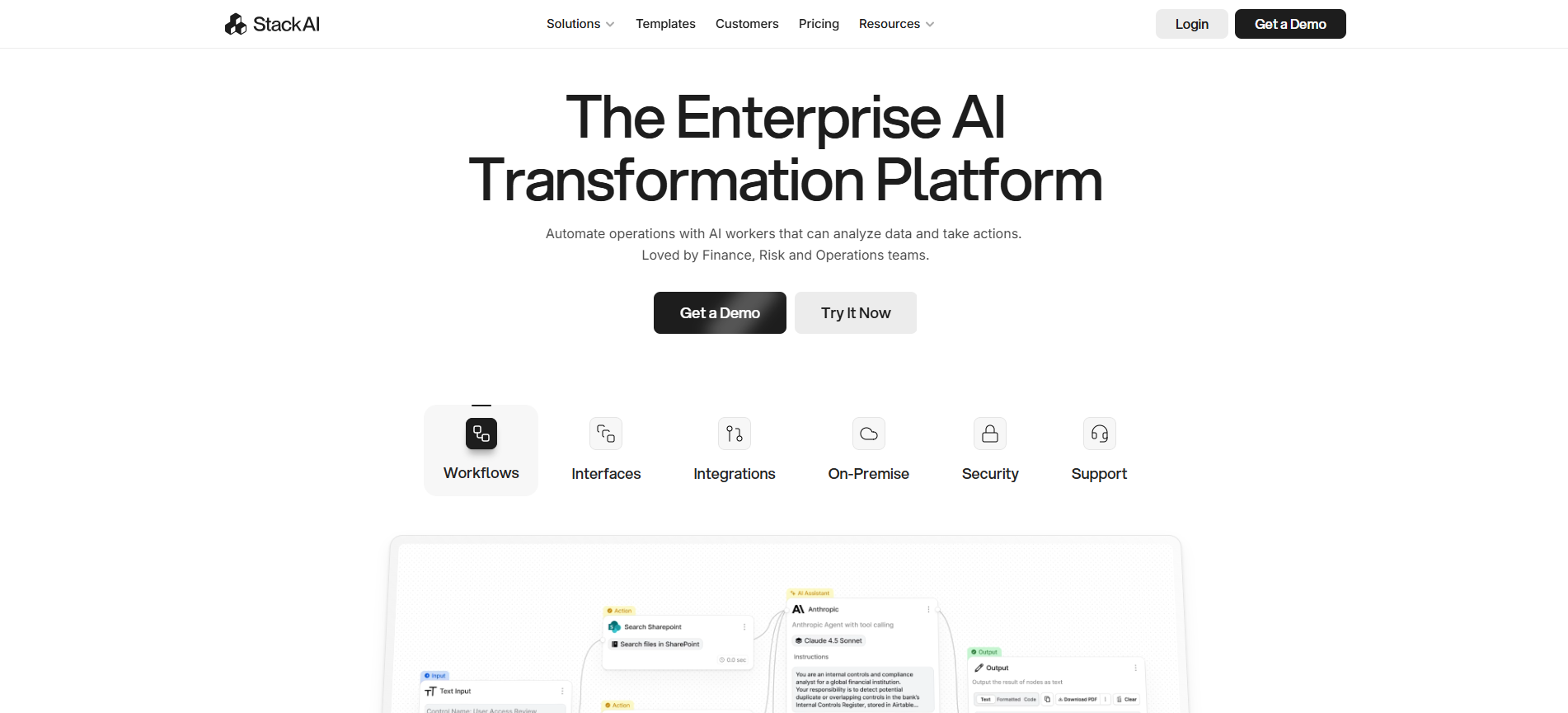
Stack AI is changing artificial intelligence by making it possible for non-technical teams to build and deploy AI-powered workflows without writing code.
While most AI automation platforms require some technical knowledge, Stack AI has built an interface so intuitive that business analysts, product managers, and domain experts can create sophisticated AI applications in hours, not months.
The platform's approach is changing in its simplicity. Instead of requiring users to understand APIs, webhooks, and data formats, Stack AI provides pre-built components that snap together like Lego blocks.
Each block represents a powerful AI capability: document processing, natural language understanding, image analysis, and data extraction that would typically require a team of developers to implement.
Key Features:
- Drag-and-drop AI workflow builder with no coding required
- Pre-built AI components for common tasks
- Multiple AI model support (OpenAI, Anthropic, Google)
- Data source connectors (database, APIs, file)
- Custom chatbot builder with embedding
- Document processing with OCR and extraction
Automation Example: Underwriting Submission Assistant
Google Drive → Stack AI → OCR → NLP Analysis → Data Extraction → Airtable → Email Notification
- New documents uploaded to the Google Drive folder
- Stack AI automatically detects and triggers workflow
- OCR extracts text from scanned documents
- NLP analyzes document type and structure
- AI extracts key fields (names, dates, amounts)
- Validates extracted data against business rules
- Categorizes documents and applies tags
- Stores structured data in Airtable
- Routes to the appropriate team based on content
- Sends a summary email with key information
- Creates follow-up tasks if action is required
Pricing
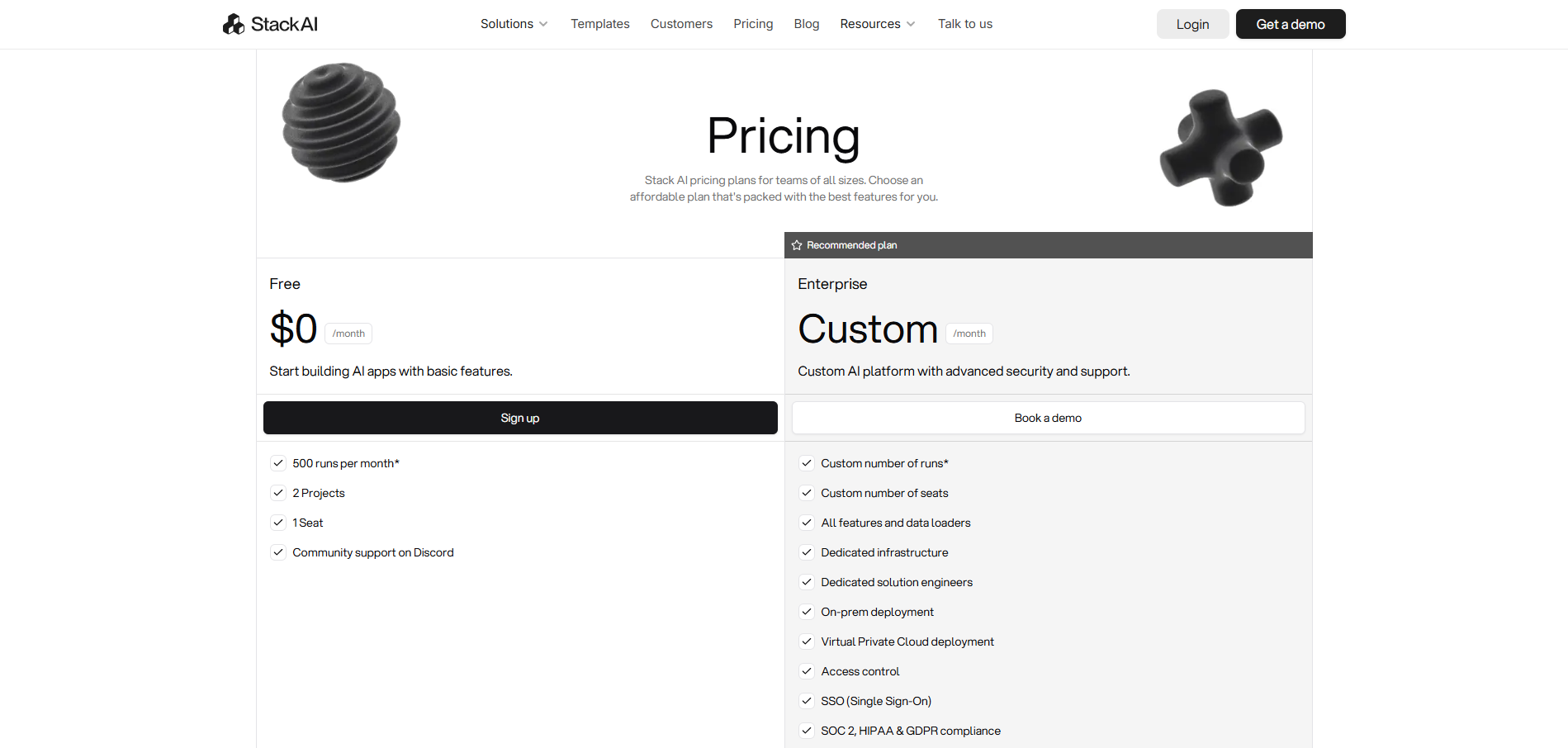
Perfect For
Non-technical teams want to build AI-powered workflows quickly without coding.
Excellent for document processing, chatbot creation, and data extraction use cases. Ideal for business teams ready to leverage AI without IT dependency.
10. Integrately - Best for One-Click Integrations
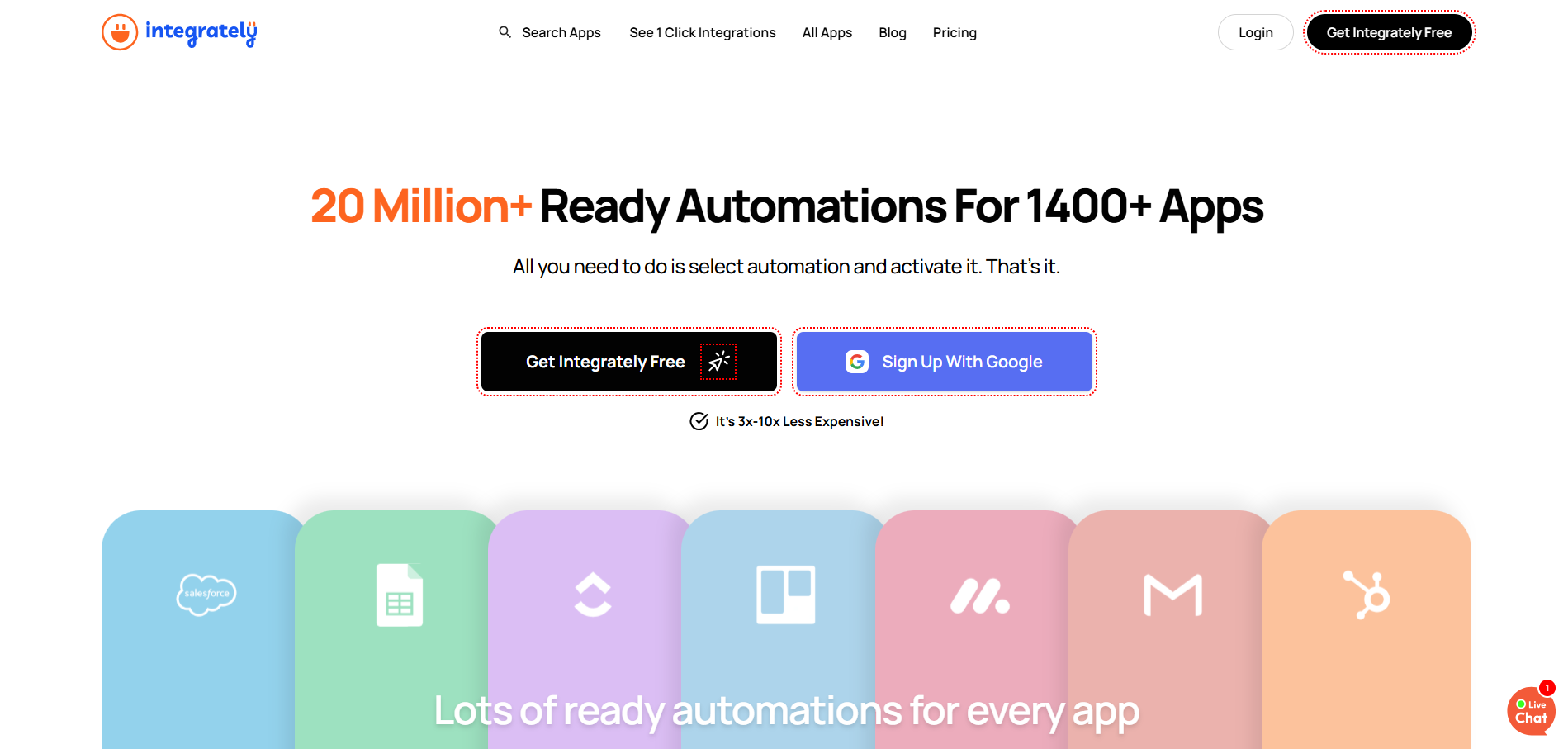
Integrately has taken a radically different approach to workflow automation by focusing on simplicity and speed above all else.
While other platforms pride themselves on flexibility and features, Integrately asks a simple question: what if you could activate a complex automation with literally one click?
The answer has resonated with thousands of small businesses that need automation but don't have time to become automation experts.
The platform's secret weapon is its library of 8 million+ ready-made automations. These aren't just templates or starting points, they're fully functional workflows that work immediately.
Integrately has analyzed the most common automation patterns across industries and pre-built them, so instead of building from scratch, you're selecting from a menu of proven solutions.
It's like having an automation expert build custom workflows for you, except it happens instantly.
Key Features
- 8 million+ ready-made automation workflows
- 1,000+ app integrations with deep support
- Smart field mapping with AI assistance
- Webhook support for custom integrations
- Multi-step automation capabilities
- Automation assistant for recommendations
- Bulk operations for data migration
- One-click API deployment
Pricing
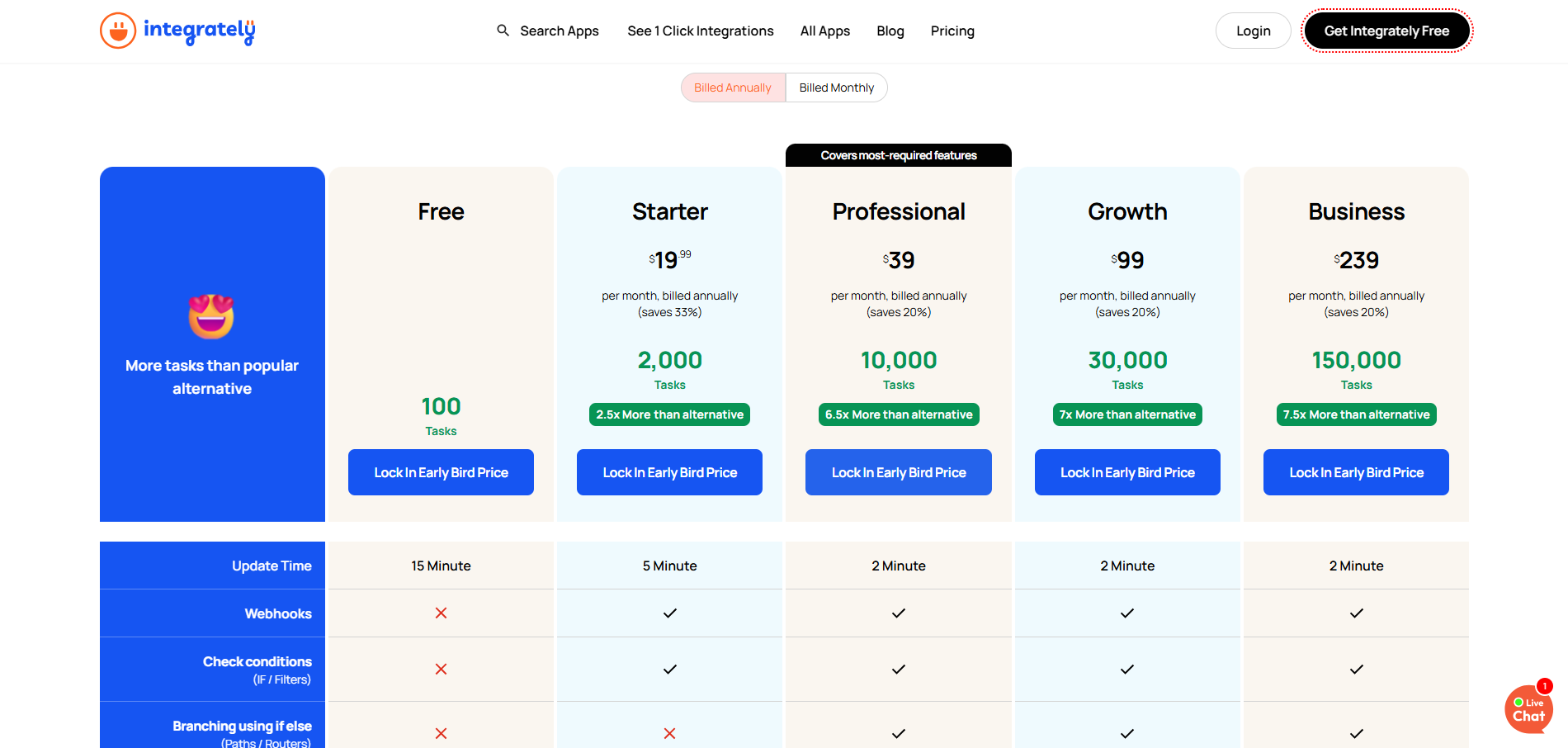
Perfect For
Small businesses want immediate automation without complexity. Best for standard workflows between popular apps. Ideal when you need something working today, not next week. Perfect for marketing teams and small agencies.
Quick Decision Framework: Which Tool Is Right for You?
By Business Stage
Just Starting (0-10 employees)
- Zapier for absolute simplicity and reliability.
- Integrately for one-click quick wins.
- Pebbly Connect for budget-conscious high volume.
Growing Fast (10-50 employees)
- Make for powerful automation at a great value.
- n8n for unlimited scale with control.
- Gumloop for cutting-edge AI capabilities.
Established (50+ employees)
- Workato for enterprise-grade needs.
- Microsoft Power Automate is in the Microsoft ecosystem.
- Multiple specialized tools for different departments.
Common Mistakes to Avoid
- Starting Too Big: Don't try to automate your entire business at once. Start with one simple workflow, prove it works, then expand. Success builds momentum.
- Skipping Documentation: When automation breaks at 2 AM (and it will), documentation saves you. Document as you build, not after. Include screenshots and video walkthroughs.
- Ignoring Error Handling: Plan for failures. Every API can go down, every service can lag. Build in error notifications, retry logic, and fallback procedures.
- Over-Automating: Not everything should be automated. Keep human touch for complex decisions, creative work, and relationship building. Automate the mundane, not the meaningful.
- Choosing Based on Price Alone: The cheapest tool isn't always most cost-effective. Factor in setup time, maintenance effort, and limitations. Sometimes paying more saves money.
- Not Involving the Team: Automation imposed from above often fails. Involve end users early, address concerns, and ensure everyone understands the benefits.
- Forgetting About Maintenance: Automations need maintenance. APIs change, business processes evolve. Schedule monthly reviews to ensure everything still works correctly.
Let's Build Your Automation Strategy Together
Stop wasting time on manual tasks. We'll implement the right workflow automation tools for your business.
Conclusion
Remember that founder I mentioned at the start? The one working 70-hour weeks, drowning in manual tasks?
Pick one repetitive task. Choose one tool from this list. Build one automation this week.
Because every day you delay is another day of unnecessary manual work, another day your competitors might be automating ahead of you, another day you're not operating at your full potential.
The businesses winning in 2025 aren't working harder. They're working smarter with AI workflow automation, doing the heavy lifting.
We help businesses implement the right workflow automation tools and build systems that actually deliver ROI
Get Your Free AI Workflow Automation Assessment
No sales pressure. Just practical help from experts who've implemented automation for 100+ businesses.
Ready to put AI agents to work in your business? Third Rock Techkno designs and ships production agentic AI systems and AI automation from your first workflow to full deployment, with humans kept in control of the calls that matter. Get a free automation assessment.

