
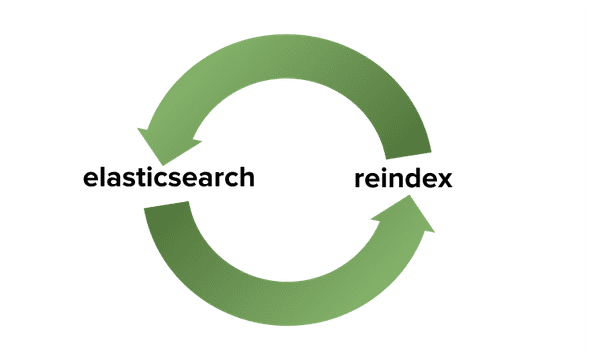
One of the drawbacks of ElasticSearch is the lack of mapping updates to existing fields. Once a field has been mapped, it can not be modified unless it has been reindexed. Reindexing eliminates the original index and creates a new index in the process of new mapping and some downtime. For a business, this is critical. ElasticSearch, however, has a problem-solving, index aliases. The alias is like a symbolic reference capable of referring to one or more indices. This allows us the versatility to create a new index in the background and make the changes in a manner that is almost imperceptible to the user.
Steps to Reindex Elasticsearch Data
For the demonstration, I am using elasticsearch v7.0.0.
There are six stages to reindexing:
In this blog, we would be reindexing a sample index called “companydatabase”.
Step 1 : Get Index data
Get all existing index data and note down the docs count of the index which is going to reindex.
curl -X GET \
'http://localhost:9200/_cat/indices/%2A?v=&s=index:desc' \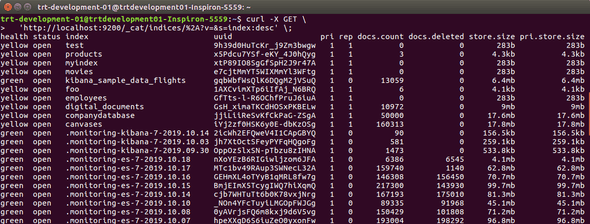
In companydatabase, we have 50,000 documents. We’re using that as an index.
Step 2 : Create a New Index
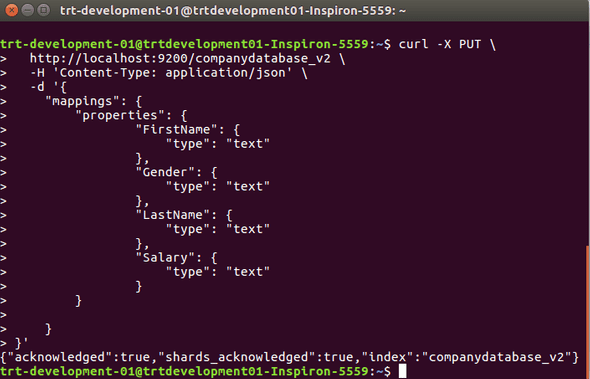
Create a new index with newly updated mapping and versioning. We shall call it companydatabase_v2
curl -X PUT \
http://localhost:9200/companydatabase_v2 \
-H 'Content-Type: application/json' \
-d '{
    "mappings": {
        "properties": {
                "FirstName": {
                    "type": "text"
                },
                "Gender": {
                    "type": "text"
                },
                "LastName": {
                    "type": "text"
                },
                "Salary": {
                    "type": "text"
                }
        }

    }
}'
Step 3 : Transfer data of old index into the new
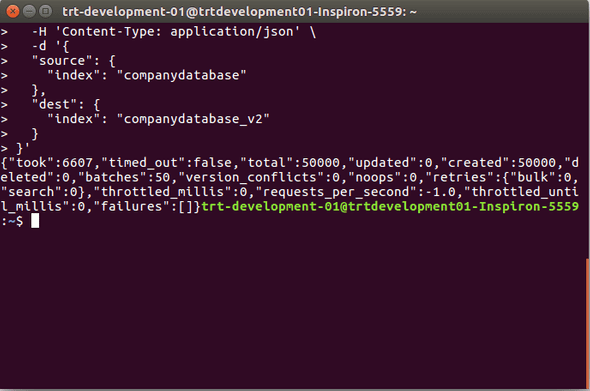
Now we shall transfer data of old index into the newly created index with _reindex command. In our case, we are transferring data from companydatabase to companydatabase_v2
curl -X POST \
    http://localhost:9200/_reindex \
    -H 'Content-Type: application/json' \
    -d '{
    "source": {
        "index": "companydatabase"
    },
    "dest": {
        "index": "companydatabase_v2"
    }
}'
Step 4 : Verify newly created index
Always double-check that the newly created index should have the exact number of documents of the old index. We have 50,000 documents in our old index companydatabase which are copied to the newly created index companydatabase_v2.
Confirm newly created index has an equal number of documents with the old index using the curl request shown below.
curl -X GET \

'http://localhost:9200/companydatabase_v2/_search?scroll=10m&size=50' \
-H 'Content-Type: application/json' \
-d '{
    "query" : {
        "match_all" : {}
    }
}'
Step 5 : Delete Older Index
Once it is confirmed that all both the index has equal number of documents, it is safe to delete older index.
curl -X DELETE \
http://localhost:9200/companydatabase
Final Step
We are in the final step and we need to do a couple of things here so I am going to break it down into sub steps.
We have to create an alias with the name of the old index for newly created index In our case, we have an old index called companydatabase which was deleted in the previous step.
Step 6.1
Check if alias of that name already exists if you have created before. If exists then we’ve to delete that alias before created new alias.
curl -X POST \
http://localhost:9200/_aliases \
-d '{
    "actions": [
        {
            "remove": {
                "index": "companydatabase_v2",
                "alias": "companydatabase"
            }
        }
    ]
}'
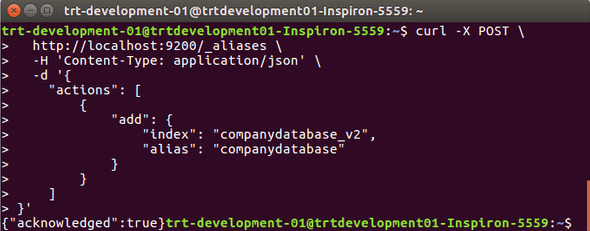
Step 6.2 Add alias with the name of the old index for the newly created index.
curl -X POST \
http://localhost:9200/_aliases \
-H 'Content-Type: application/json' \
-d '{
    "actions": [
        {
            "add": {
                "index": "companydatabase_v2",
                "alias": "companydatabase"
            }
        }
    ]
}'
It’s done we have reindexed our old data with new mapping. If you would more details and other references you can check this link https://www.elastic.co/guide/en/elasticsearch/reference/7.0/docs-reindex.html
10 Essential Steps To Build a SaaS MVP
Read MoreConclusion
Third Rock Techkno is a leading IT services company. We are a top-ranked web, mobile and voice app development company with over 10 years of experience. Client success forms the core of our value system.
We have expertise in the latest technologies including angular, react native, iOs, Android and more. Third Rock Techkno has developed smart, scalable and innovative solutions for clients across a host of industries.
Our team of dedicated developers combine their knowledge and skills to develop and deliver web and mobile apps that boost business and increase output for our clients.


