
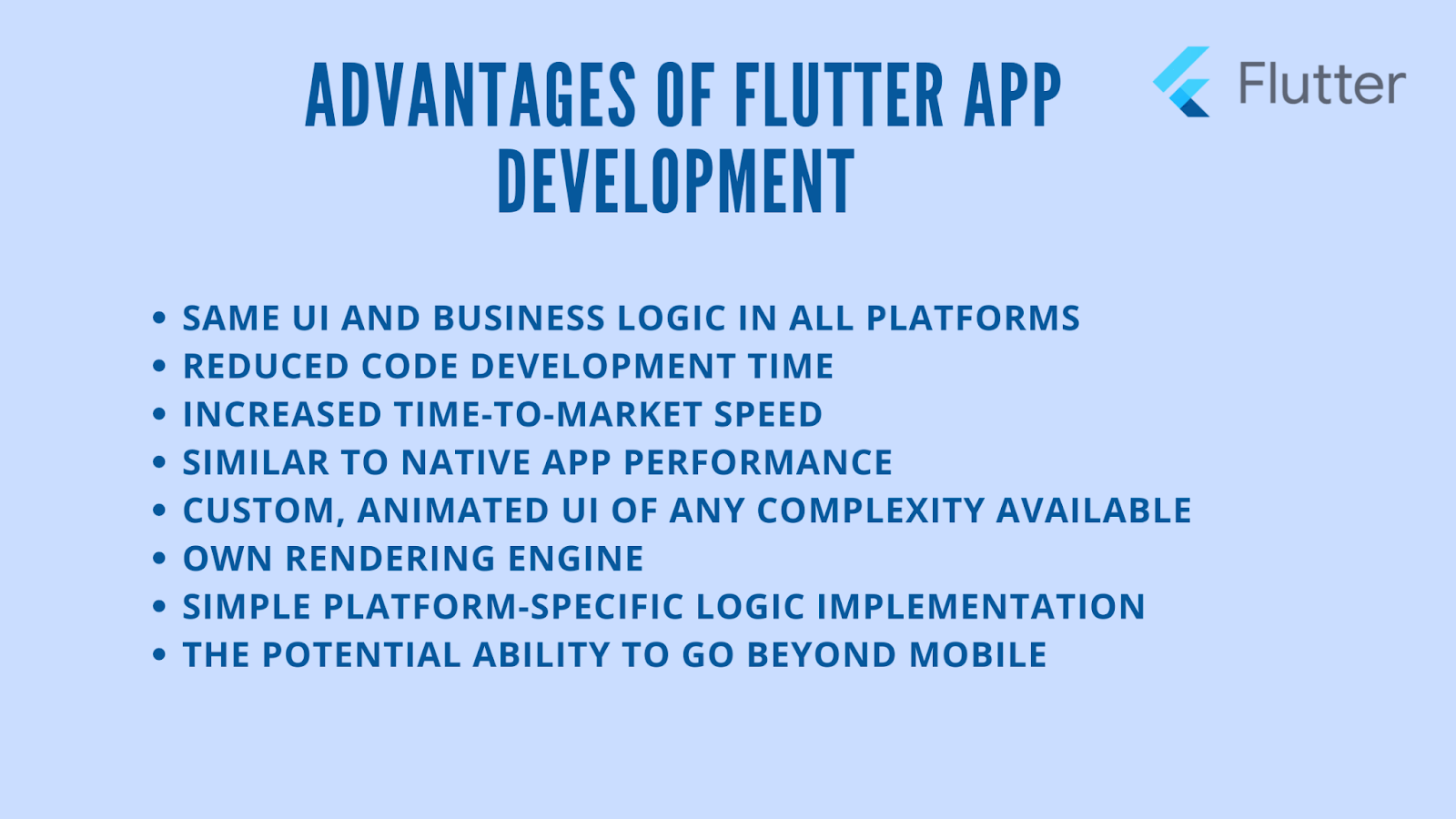
Flutter evoked some passionate and inspiring reactions amongst the developers and founders worldwide. In the words of the co-founder and developer at KlasterMe himself, Abin Baby feels Flutter works like magic once past the learning curve. From navigation drawer to a hero animation, Flutter stays true to its hallmark of "easy and fun". According to Abin Baby, it's the widgets in Flutter app development services that gave them everything they needed on a silver platter. Almost 90% of those widgets they required for the app's first version were readily available in the Dart Pub. Apart from that, the Hot Reload feature smoothened out everything from experimenting with the user interface and fixing bugs quickly.
The Architecture and Advantages of Flutter App Development
Flutter became future-proof being the next big thing with its excellent design and developer documentation. Minimizing the reliability on the underlying platform remains one of the strongest points of Flutter amongst the following:
- Flutter helps shorten the development cycle by reducing the number of changes you need to make when launching your mobile app.
- It speeds up things such as the initial packaging of your app and the processes after it's launched.
- The use of editors, build tools, and tests make development more accessible with its growing library of tools.
- The app shell is the application's user interface (UI). Nothing here changes from app container to web shell.
- DOM includes both the static HTML of the webpage, its components, and the script code executed when you click on elements within the DOM
Because of its focus on automation, Flutter also includes options for building microservices, which are scripts that can be injected into a scope across an app.
Why Flutter is the Future: Performance Boosts with the Release of Flutter 2.8

Flutter 2.8 is the final stable release that highlights the collective work of many contributors and reviewers towards closing issues and producing significant performance improvements. The enhancements include improvements in Flutter DevTools, Google Mobile Ads SDK, new Firebase features, WebView 3.0, a new package batch, and a version of DartPad.
Stable Versions of Plugins
The cross-platform app development suite equips automatic performance boost with less memory usage while opening the apps. It also eases the connection of apps with backend services, Firebase. It upgraded the entire bunch of plugins from Beta to Stable versions. Moreover, it brings an official, extremely convenient widget to sign in with Firebase Authentication. It aims to cover several edge cases, helping developers to save time and ensure security.

Dart Programming 2.15
Flutter 2.8 comes packed with a parallel update to Dart programming language SDK version 2.15. So, the developers using Dart, even outside Flutter, can experience performance improvements. Dart 2.15 introduces constructor tear-offs that enable developers to refer to the name of the class constructor. It can come in handy while developing the user interface.
Flame – the Game Engine
Flame is a third-party game engine built on top of Flutter. Google also released its first stable version, 1.0, making it ready for 2D game development, with support for game loop and other necessary tools for animation and mapping.
Also Read: Responsive UI layout for flutter
Is Flutter Good for App Development With The Latest Release?
The latest release adds to Flutter's supremacy in cross-platform app development. Flutter enjoys a market share of 42% of developers choosing it as their preferred language for cross-platform app development. Each month, almost half a million developers use Flutter. Its single codebase and performance, similar to native apps, ensure rapid app development and smooth interfaces. Here's how it keeps the ball rolling, with its new version sweeping the developers off their feet:
Higher Startup Latency
The new release brings a lot of improvements in the startup latency of apps, showcasing a perceivable impact in the app development industry. Together, it can reduce the time to start up an app by 50% on low-end devices and a 10% improvement in high-end ones (tested on Google Pay). Many enhancements in Flutter's way of influencing Dart VM garbage collection policy ensure avoiding poorly timed GC cycles during startup.
Memory Saving is One of The Flutter Trends in 2022
Flutter now only notifies the Dart VM of memory pressures when rendering the first frame in Android. It also helps improve the artificial delay while setting up the first isolate in Dart in building the default font manager. What used to be a bottleneck for many developers, Flutter solved it by running the font manager setup concurrently with Dart isolate. It ultimately improved latency that brought forth the effects of both optimizations.
Memory constrained devices also sometimes face problems due to Flutter's eagerness to load Dart VM's service isolate. It hit the performance because the AOT code compelled Flutter to read both memories simultaneously. In version 2.8, Flutter now splits the Dart VM service isolate into its own bundle in Android, helping the developers to load it separately. It results in saving a memory of up to 40 MB. It further reduces the memory footprint by 10% when Dart VM informs the OS that it won't read the pages AOT uses. Hence, it becomes easier to reclaim the pages with a copy of file-backed data and use them for other purposes.
Enhance Tracing Feature in DevTools
Enhance tracing feature in Flutter DevTools is one of the advantages of Flutter app development that helps combat debugging performance issues. It assists developers in diagnosing the UI jank due to expensive layout and paint operations. It includes track widget builds, layouts, and paints as three main tracing features; when enabled, the timeline shows new events for each. Additionally, it also provides support for profiling the app's startup performance.
Improves the Performance of Web Platform Views
Apart from the performance improvements in Android and Apple, Flutter also brings changes in the web platform views. Web platform views allow developers to host native UI components. The HTML element view widget with Flutter web allows hosting elements inside the app. Earlier versions created a new canvas whenever developers embedded a platform view. With each platform view resulting in another canvas, it became expensive. The 2.8 release introduces a solution by reusing earlier canvases, allowing developers to create multiple instances. Ultimately, it reduces the scrolling jank while using platform views and avoids performance degradation.
Also Read: 7 Reasons Why Building A Startup App in Flutter is Ideal For your Business
WebView 3.0
Flutter has another release up its sleeve for its webview plugin, 3.0, with new features and a potentially massive change in how it functions on Android. The previous versions consisted of the hybrid composition, but it wasn't the default. The 3.0 version with hybrid composition solves several issues in the last default virtual display mode. Additionally, it has the following features for the developers:
- Support for POST and GET for populating content
- Support for transparent background.
- Before loading content, developers can write cookies.
- Developers can now load HTML from strings and files.
Firebase and FlutterFire UI
FlutterFire is a significant part of the Flutter ecosystem used by almost two-thirds of Flutter apps, making it one of the biggest advantages of Flutter app development. The 2.8 release introduces a new feature set, assisting developers in building applications easily using Flutter and Firebase. Stable plugins for Android, ios, and web include Analytics, in-app messaging, dynamic links, real-time database, performance monitoring, remote configuration, and newly added, Installations. It includes:
- Stable versions of all FlutterFire plugins
- Support in DartPad for various Firebase services
- Libraries for building UI for authentication and live Firestore queries
- Firestore Object (Document Mapping) for Flutter
Packages moving to production quality can now initialize Firebase on any Dart-supported platform. DartPad already consists of the core APIs, Firestore, and Authentication with Firebase support. Further enhancements include embedding instances of DartPad in the docs.
The Firebase user interface is another one of the Flutter trends in 2022, comprising an authentication flow that enables logging in with a social auth provider. It also allows creating accounts, two-step verification, email address validation, and merging multiple accounts. Until the 2.8 release, the Flutter developers had to implement the UI for all of these functions. However, this release enables creating a basic authentication experience with the FlutterFire UI package by writing only a few lines of code.
Firestore Object/Document Mapping
Flutter's integration with Firebase added another new feature with Firestore Object that increases the developers' productivity by simplified use of Firestore. The Firestore ODM uses code generation through type-safe, structured objects and methods. As a result, it enhances the syntax for interaction with documents and collections, enabling the developers to model their data accordingly.
Also Read: How Much does Flutter App Development Cost?
Why Flutter is the Future? Third Rock Techkno Has All The Answers
The single codebase of Flutter is one crucial reason why many small, medium, and large-sized software companies want to hire flutter developers for their app development needs. Flutter works like a charm for multiple platforms that helps firms reduce development costs and time. The possibilities with Flutter remain endless, as demonstrated by some of the most prominent players like Pairing, PostMuse, Meeve, Cyptomaniac Pro, among others. From our perspective, Flutter is an ideal and feasible choice if:
- You need an app for Android and iOS with exceptional UI and UX
- You are a startup and want to develop a Minimum Viable Product.
- You want to focus on launching the app on the market quickly
We have expert and experienced developers who follow an agile methodology to deliver projects in time for complete control over the development process. You can also collaborate with an expert consultant to help you plan a Flutter development strategy and process according to your needs.
Looking For Expert Guidance on Your Dream Project?
Our diverse team of industry leading veterans can help you build the most viable solution.
Schedule a free consultation call
