
As we write, the EdTech industry has breached the US $340 billion valuation. It is estimated to cross US $ 605 billion by the time 2027 approaches. This makes it an excellent opportunity to begin developing educational technology apps. With platforms like FlutterFlow, a no-code app builder, startups can create a basic version of their EdTech app quickly and cost-effectively. No-code development simplifies app creation for everyone. This is your chance to join the future of educational technology and contribute to improving it.

Quick answer: A product manager can ship an EdTech MVP with FlutterFlow by scoping core learning features, using Firebase for auth and content, and prebuilt UI to move fast. Focus the MVP on one core loop—lessons, quizzes, or progress—then expand after user feedback.
Why MVPs are Key for EdTech Startups?
The Value of an MVP
Duolingo, one of the most well-known apps for learning languages, began as a simple MVP. Its first version had one primary purpose: to teach languages using short, fun lessons. This original concept drew in users, gave helpful feedback, and eventually became our current app.
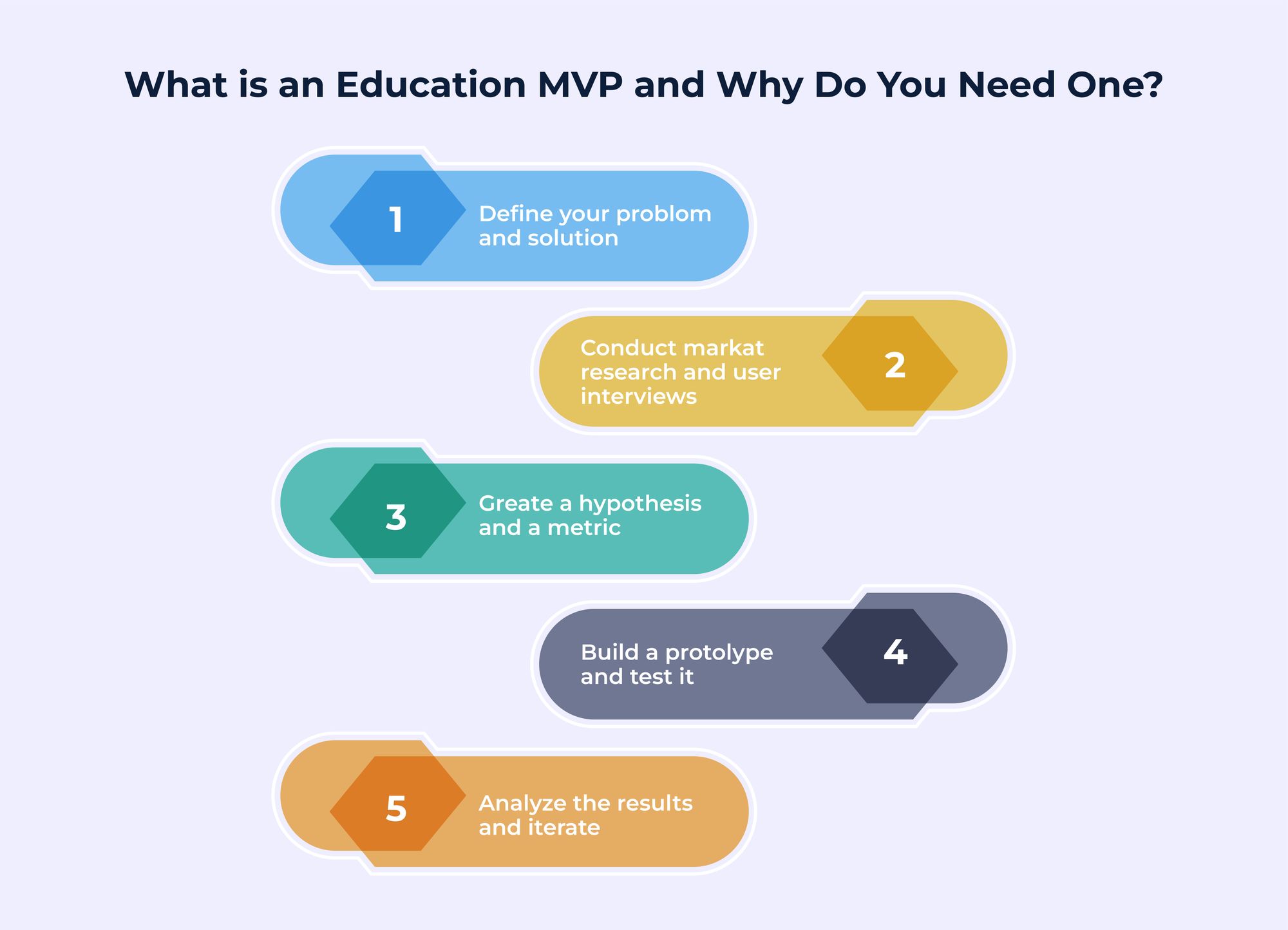
The complete full form of MVP, which stands for Minimum Value Product, gives you a basic idea of its purpose. It is like a trial version of a product that helps startups gauge whether it will work in the market.
By starting simply, startups can understand what users enjoy or dislike, fix issues, and add more features later. This approach reduces risks and warrants they create something valuable and appealing to users.
5 Reasons You Need MVP Before Starting Custom Software Development
Overcoming EdTech Challenges with an MVP
Startups must solve unique challenges in the EdTech industry to succeed. Knowing these problems can help create apps that can grow, adapt quickly, and work well for different users.
Flexibility
The education sector is quite dynamic. New teaching methodologies and tech advancements evolve quickly, making it vital to stay flexible and adapt swiftly to changes. EdTech apps need to be very flexible, enabling quick updates and enhancements to stay relevant. Whether adding new features or responding to user feedback, the ability to adapt ensures the app stays valuable and meets user expectations.
Scalability
The EdTech MVP app should work seamlessly regardless of the number of users. By users, we mean students, teachers, and even administrators. Also, if the app expands from a small group to thousands of users over time, it should not affect its performance. You need robust systems and meticulous planning to manage more users without hassle to achieve this.
Meeting Different User Requirements
With different users using the EdTech app, like young students and adult learners with varied learning preferences, it needs to meet the requirements of all users by taking their needs into account. Teachers and administrators also have specific needs, like organizing courses, monitoring progress, or reviewing data. Addressing all these varied needs is vital to making your EdTech app perform optimally and keeping your users interested.
How Does MVP Help Small Teams Compete?
An MVP helps small teams in EdTech app development. It allows startups to release their app quickly, gather user feedback, and build apps that address real issues without wasting too much time or money.
Launch Quickly and Save Money
In EdTech MVP development, small teams can save time and resources by concentrating only on the most important features to test their idea. Using tools like low-code app builders, teams can create an MVP fast without needing a big development team. This method helps startups focus on providing value while keeping expenses low, making no-code EdTech development an excellent choice for small teams.
Learn from Real Users Early
An MVP (Minimum Viable Product) helps teams get direct feedback from users. EdTech app development means seeing how students, teachers, or administrators use the app. This feedback helps improve the app to meet real needs better. With an MVP, startups can avoid guessing and concentrate on essential building features. This way, you can ensure that your educational technology synchronizes with the users' requirements.
Build Strong Relationships with Early Users
Early users play a key role in the success of an EdTech MVP. They are the first to try the app and give their opinions. Teams can improve the app and add features users will enjoy by paying attention to their feedback. Early users often share their experiences with others. This helps startups attract more users and expand. Support like this makes it easier for small teams to thrive in the competitive field of EdTech app development.
Education Software Development for Small Businesses: Is it Worth the Investment
FlutterFlow: Your Advantage for Creating an EdTech MVP
What is FlutterFlow?
FlutterFlow is more than merely a tool. It is a futuristic way to develop apps. Being a no-code platform, it enables startups to design and launch professional yet functional apps without requiring coding knowledge. Anyone with an idea can quickly turn it into a real app. FlutterFlow makes the app development process straightforward and graspable to everyone, even those without technical expertise. It is an ideal solution for startups aiming to save time and money while creating something impressive.
Why is FlutterFlow Essential for Startups?
FlutterFlow is a tool that makes it effortless, cost-effective, and swifter for startups to build apps.
Speed
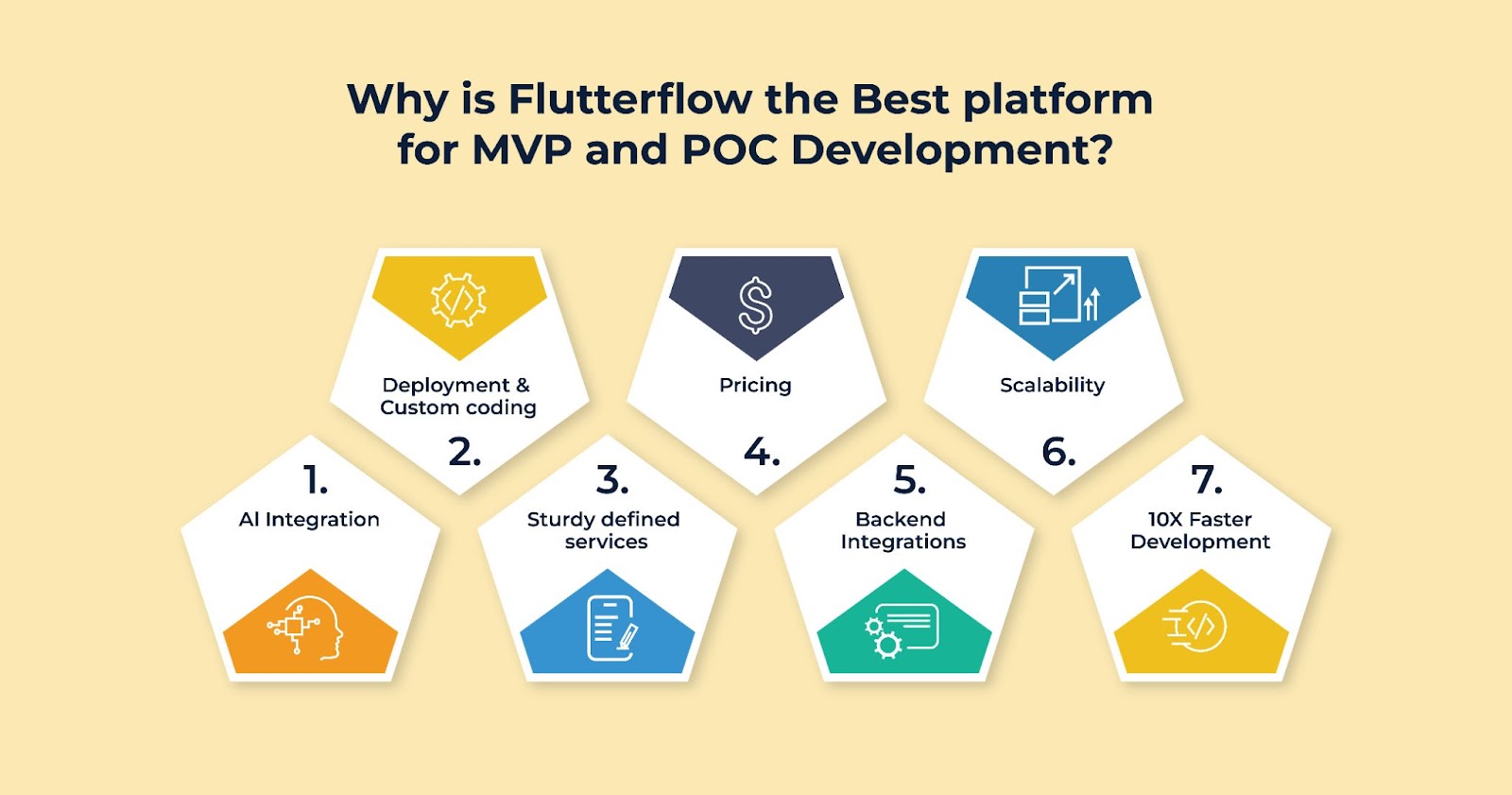
The most significant advantage of using the Flutterflow platform is that it enables you to create and launch your EdTech MVP development in weeks! This lets you test your idea quickly and stay ahead of competitors.
Cost
FlutterFlow is simple to use, so you don’t need a large team of developers. You can manage the design and app features yourself, saving a lot of money. This is ideal for startups with tight budgets.
Scalability
As your app gains more users, FlutterFlow helps it grow smoothly. Its built-in Firebase tools make adding new features easy and handle more users without issues.
FlutterFlow helps startups build professional, user-friendly apps that are ready to grow, all while saving time and money.
Top Benefits of Using FlutterFlow for App Development in the USA
Product Manager's Dream
FlutterFlow makes app development easier for product managers by improving teamwork, speeding up work, and allowing no-code EdTech development to create effective, user-centered solutions.
Easy for Everyone to Use
FlutterFlow’s simple interface lets everyone on the team join in, even if they don’t know how to code. This makes building no-code EdTech apps easy and efficient, so everyone can help create the app.
Connects Design and Development
FlutterFlow seamlessly connects design and development with features like the ability to import Figma and the built-in design language. Users can even use pre-built components and built-in features like combining text and code expression to quickly translate their ideas into reality, which is perfect for creating EdTech MVPs. This connection speeds up the process and avoids delays.
Launch Apps Faster
With FlutterFlow, product managers can help their teams release apps much quicker with features like a drag-and-drop interface for visual design, pre-built components, seamless Firebase integration for backend functionality, and the ability to create custom code whenever required. Whether for EdTech apps or education tools, the platform allows fast updates and improvements to meet user needs.
FlutterFlow’s tools simplify teamwork, helping teams build and deliver better apps in less time.
Creating Your EdTech MVP: Insights from an Experienced Product Manager
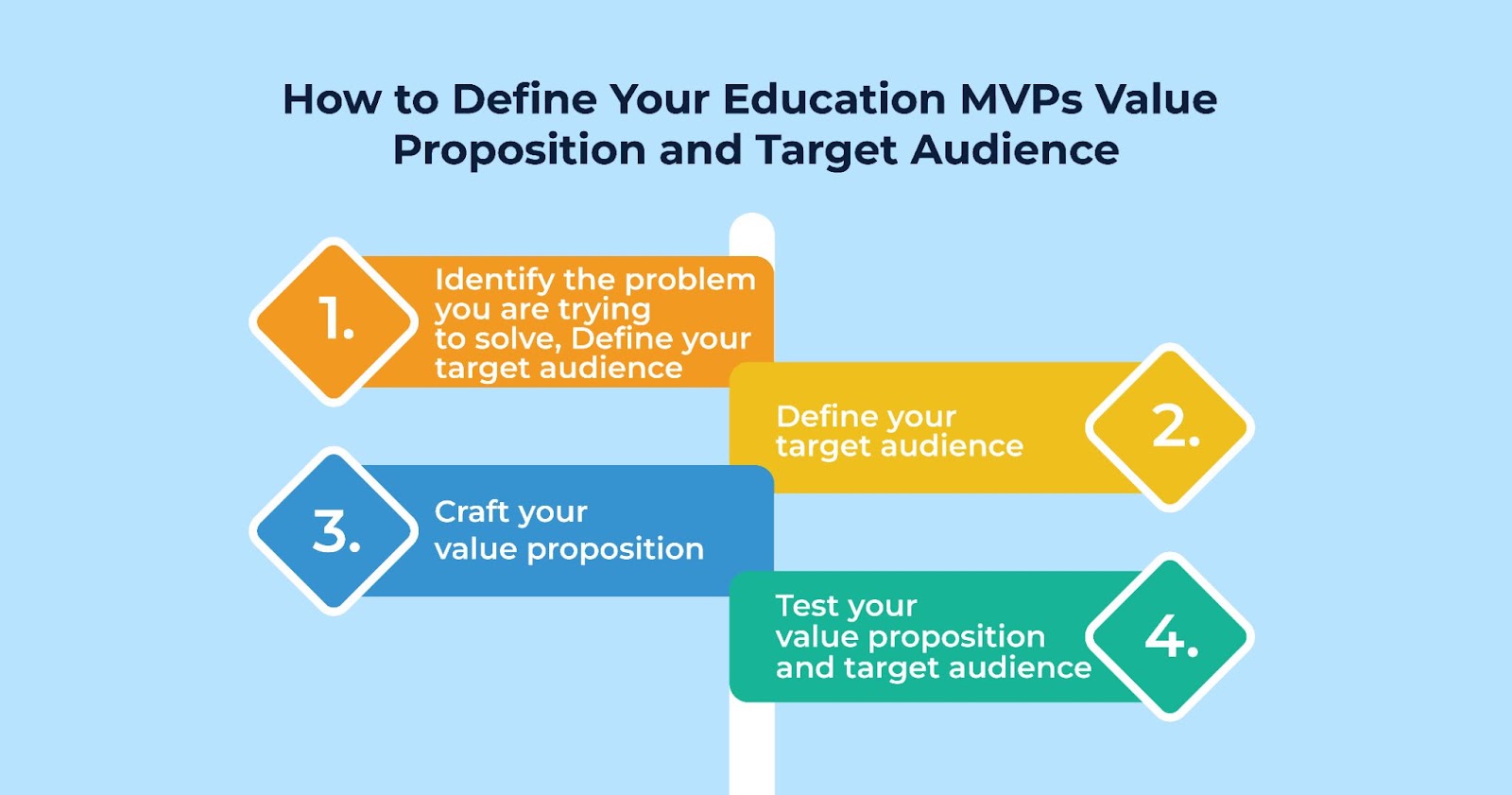
An experienced product manager always tries to understand the USP of their product. It is the base on which their entire MVP product development stands out. Here is an overview of the thinking process of a product manager who is developing an ingenious EdTech MVP
Step 1: Figure Out the Problem You Are Solving
Start by asking these questions:
- What are the critical problems that the education industry is currently facing
- Does my app have the knack for resolving these problems in real-time?
- Will the EdTech MVP make studies simplistic for students?
- Will teachers find it convenient to provide lessons effectively?
- Will the MVP aid administrators stay well coordinated?
- The answers to these questions will help you derive the crucial features that will prove to be the USP of your EdTech MVP.
Step 2: Ascertain Key Features
A product manager's essential requirement is to ensure that their EdTech MVP has the vital features that make it a significant hit amongst the target audience. Here are some of the features that your EdTech MVP should have.
- User Login: Give students and teachers easy access to sign in securely to their accounts.
- Course Management: Easily upload and access lessons or study materials.
- Progress Tracking: Assists students and teachers in evaluating their progress and the areas of advancement.
- Interactive Quizzes: Integrate fun quizzes or short tests to make learning more enjoyable and monitor progress hassle-free.
- Push Notifications: Send alerts or reminders about classes and tasks.
- Discussion Boards: Provide a space allowing students and teachers to discuss things and clear their doubts.
- Analytics Dashboard: A dashboard that allows teachers to track their students' performance and guide them toward progress
Focus only on essential features. This will make your app simpler and faster to develop, allowing you to test it sooner.
Step 3: Plan the User Experience(UX)
Providing a great user experience is a no-brainer for your EdTech MVP. Think of ways your users will steer through your app. Make steps like logging in or searching for courses simple to prevent frustration. FlutterFlow templates can speed up the design process, making turning your ideas into working designs easier.
A Simple Guide to Creating Your EdTech MVP Using FlutterFlow
Creating an EdTech MVP with FlutterFlow is easy, even if you have never built an app. This guide will help you with the main steps to make a working, polished app ready to try out with real users. FlutterFlow, a no-code app builder, is excellent for EdTech projects.
Get Started: Setting Up Your FlutterFlow Account
First, you must make an account on FlutterFlow and begin your project. Visit FlutterFlow’s website, sign up, and explore the dashboard. Choose a template made for EdTech MVP development to save time. These templates are helpful because they already have key features like user login, a dashboard, and content management tools.
Using a template gives your app the basic setup needed for educational technology, so you don’t have to start from zero. This speeds up and simplifies the process, especially when new to building EdTech MVP apps.
Creating Your Main User Interface Using Attractive Design
Here are some essential parts to ensure your EdTech MVP app's primary user interacts with an attractive design.
- Onboarding: Make it quick and easy for users to sign up or log in. Set up a simple registration process for students, teachers, or admins, and keep their information safe. A smooth start helps users feel comfortable and ready to use your app immediately.
- Dashboard: Create a neat, well-arranged dashboard showing courses, lessons, and user progress. This should be the central area of your app where users can quickly see everything they need. Make sure it looks clean and is simple to use.
- Lesson Pages: Add pages for lesson content, such as videos, downloadable materials, and interactive quizzes. These pages should be interesting and easy to follow so students can concentrate on learning.
Focusing on these features will give your no-code EdTech project a sleek, professional appearance that users will appreciate.
Test Like a Pro
Testing makes sure your app is ready for people to use. FlutterFlow makes testing easy with its built-in preview features.
- Preview Your App: See how your app looks and works on various devices. Ensure the design is easy to understand, buttons work correctly, and features like quizzes or dashboards function as they should.
- Get Feedback from Beta Users: Share your app with a small group of real users, such as students or teachers, and gather their opinions. Focus on what they enjoy, what confuses them, and which features they think need improvement.
Use this feedback to improve your app and ensure it meets users' expectations. This step is crucial when developing an EdTech app because it provides helpful and simple information. - Set Up and Excel
Once testing is complete, it’s time to release your app. FlutterFlow makes it simple to launch your MVP on different platforms, including web, Android, and iOS. - Launch on Multiple Platforms: Share your app on different platforms to connect with more users. FlutterFlow handles the technical details so you can concentrate on spreading the word about your app.
- Professional Look and Feel: Ensure your app appears polished and smooth. A well-developed MVP gives your EdTech MVP's key stakeholders an everlasting impression. It motivates students, teachers, and administrators to keep using the app until it serves its purpose.
You are wrong if you think deploying your MVP is the last stage of the EdTech MVP development process. It is only a start. Your job now is to accumulate feedback and keep updating your app to take your EdTech app to the next level.
Enhancing the EdTech MVP App
Once you have released your basic version of the EdTech product, the next move is to improve and expand it. Here is how you can achieve that:
Listen and Learn
Get feedback from users to find out what they enjoy and what could be better. Use easy tools like:
- Surveys: Ask users how they feel about their experience.
- App Usage Analytics: Check how people are using your app.
- A/B Testing: Test different versions of features to see which one users prefer.
This feedback helps you know what’s going well and what needs fixing.
Expand Features
Once your MVP (Minimum Viable Product) gains popularity, integrate new features based on what users want the most.
For example:
- Add detailed analytics to help teachers monitor student progress.
- Include fun tools like quizzes or live sessions to make learning more enjoyable.
This step-by-step approach helps your app improve and grow.
Let'Start Building Your FlutterFlow App
Get a free consultation to transfrom your product ideas into reality Contact us!
Common Mistakes Startups' Project Managers Should Avoid
Let us now divert our attention to the common mistakes that startups and project managers should avoid at all costs while performing educational technology development.
Overloading Your MVP with Lots of Features
Make your app easy to use. Focus on the main features in the first version. Adding too many things too fast makes it harder to create and test.
Forgetting About Scalability
Think about the future from the beginning. Use tools like Firebase to ensure your app can handle more users as it grows.
Not Giving Due Attention to Customer Feedback
Pay attention to what users say. Their feedback helps you find issues and improve your app. Making changes quickly keeps your app helpful and successful.
Transform Your EdTech MVP Idea into Reality Today!
The EdTech industry is growing quickly, and new companies can help create its future with new ideas. Using tools like FlutterFlow, which lets you make apps without coding, you can make simple EdTech apps and turn your ideas into reality faster. This is your chance to be a leader in creating educational technology and improving how people learn. Start making your EdTech app now and begin changing education for the better. If you are looking to build a FlutterFlow App in no time, Contact Us today!
Building with FlutterFlow? See our FlutterFlow development services or hire FlutterFlow developers, and learn how AI works in FlutterFlow.

